
AI & Technology - Nov 4, 2026
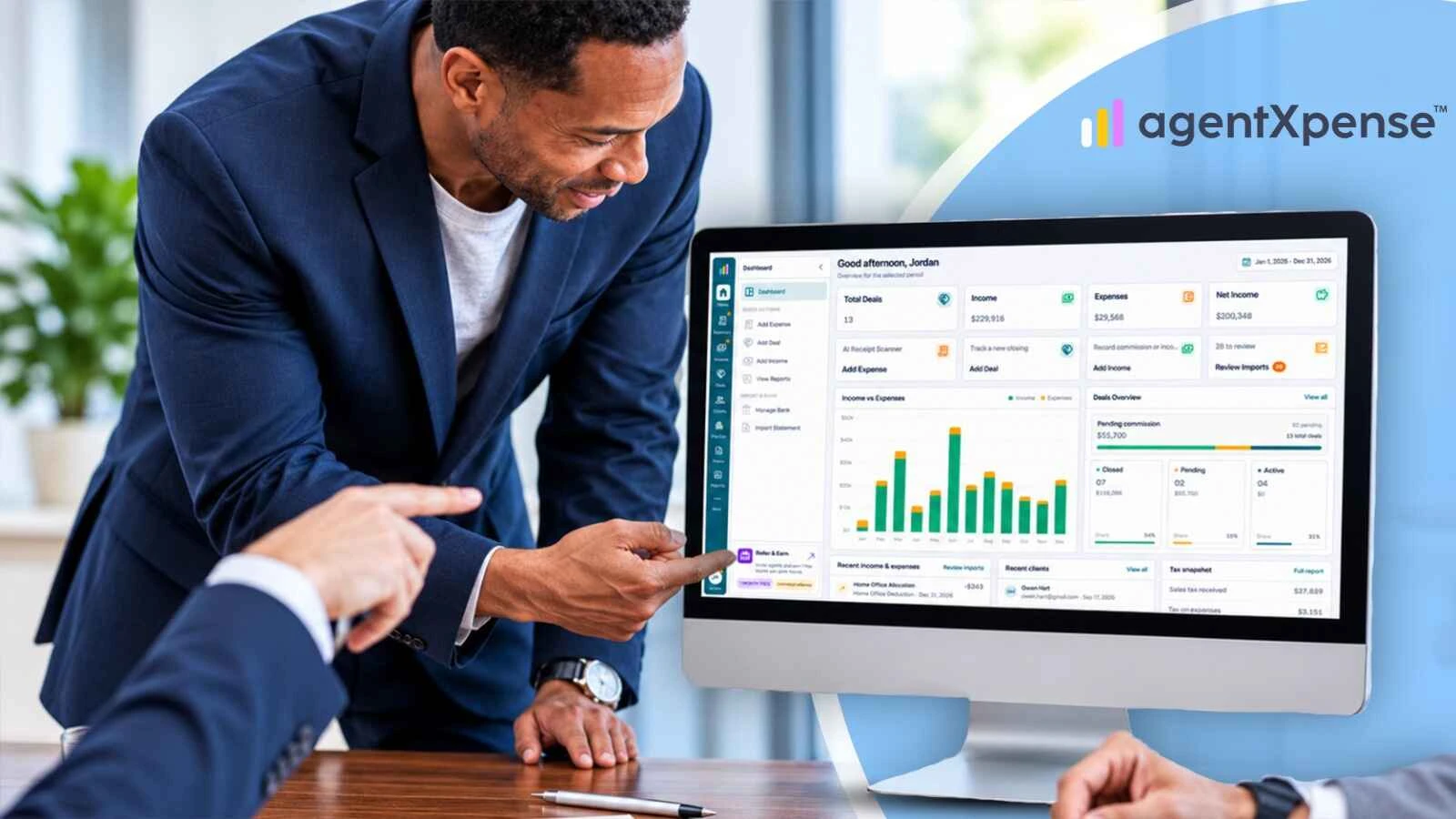
If you are a Realtor, your financial records may be spread across more tools than you realize. Expenses sit in spreadsheets, receipts are stored in separate apps, commissions are tracked in brokerage statements, and deal information lives in a CRM. At tax time, having everything in one connected place makes preparation far simpler.
The solution is a simpler financial workflow that keeps your business expenses, receipts, deals, commission income and financial reports organized in one connected place.
Real estate financial management software can help reduce duplicate data entry, connect expenses to transactions and make financial records easier to review throughout the year.
This guide explains why fewer tools make financial management easier, which functions Realtors should connect, and how AgentXpense helps real estate agents organize their day-to-day bookkeeping.
The simplest financial setup for a Realtor is a bookkeeping platform that connects business expenses, receipts, deal records, commission income and financial reports in one place.
An all-in-one Realtor bookkeeping platform for day-to-day financial management can reduce duplicate data entry, link expenses to the deals they relate to, and make financial information easier to prepare for your accountant.
You may still use a dedicated CRM for lead management and an accountant for professional tax support. Your day-to-day financial records, however, can live in one connected place instead of across multiple spreadsheets and apps.
Key Takeaways
Zillow's 2026 Agent Trends Survey found that ease of use is agents' leading consideration when choosing new technology.
Connected tools reduce duplicate work and keep receipts with the records they support.
Realtors should look for connected expense tracking, receipt management, deal tracking, commission income and reporting.
Bank statement imports and transaction review can help organize financial records while reducing manual entry.
AgentXpense brings these bookkeeping functions together for real estate agents in the United States and Canada.
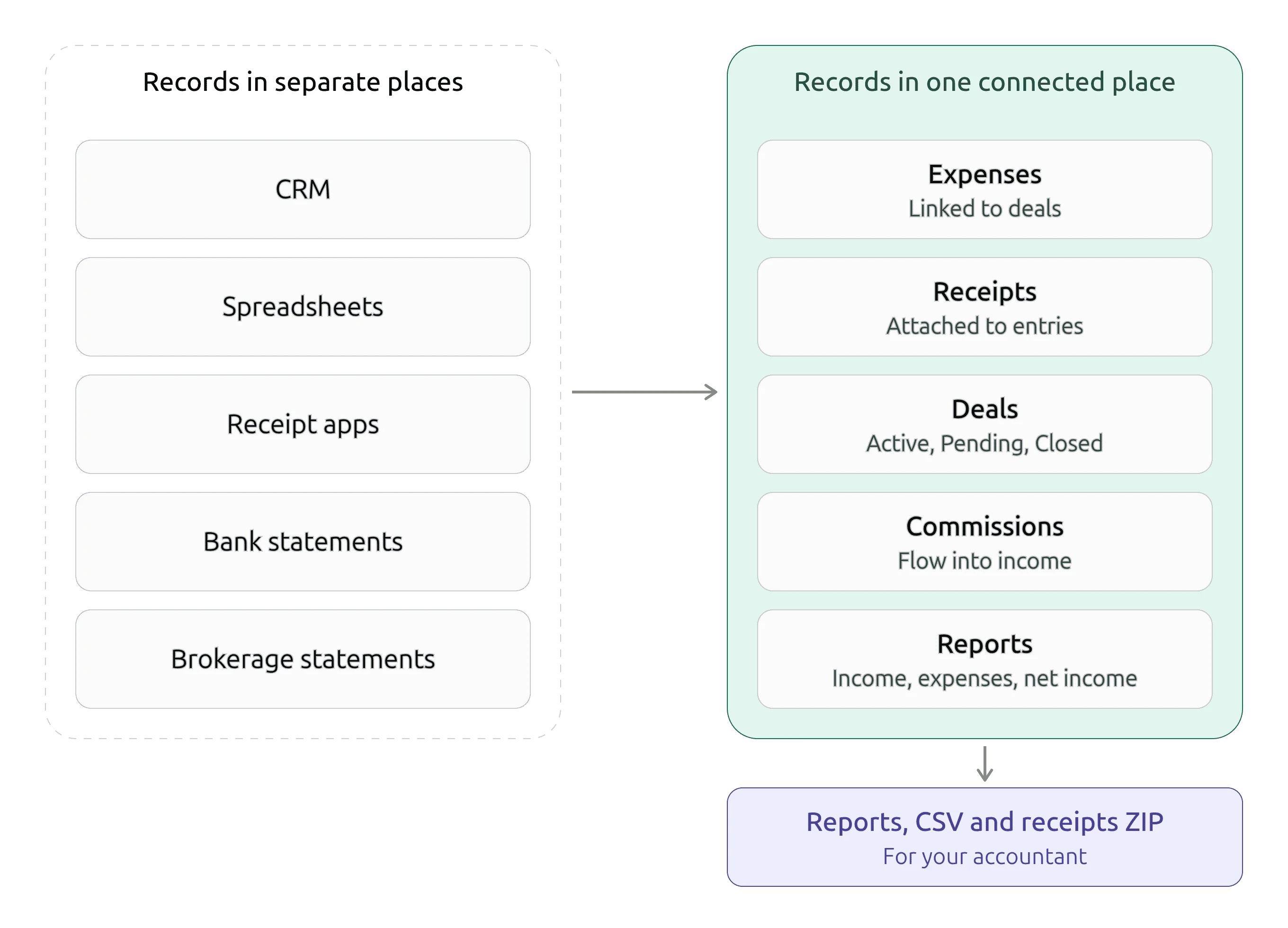
Many Realtors do not set out to build a complicated software setup. It usually happens gradually.
You start with a spreadsheet to track expenses. Later, you download a receipt-scanning app, use another platform to manage clients, and keep commission information in a separate document.
Each tool solves an individual problem, and together they add another responsibility: moving information between systems.
For example, you may find yourself:
Copying commission figures from brokerage statements into spreadsheets.
Matching receipt photos with transactions on bank statements.
Remembering which expenses belong to specific listings or deals.
Entering the same financial information into multiple applications.
Collecting reports and receipts from different platforms before meeting your accountant.
This administrative work takes time away from client relationships, property showings and closing deals.
The key question is not just how many tools you use. It is whether those tools share the information you need.
Zillow's 2026 Agent Trends Survey, published in February 2026, offers useful context about how real estate professionals approach technology.
The survey reports that ease of use is the leading consideration for agents choosing new technology, ahead of both cost and time savings. It also found that a typical agent uses between two and four tools in a typical week, and that nearly all agents manage their workflows across multiple systems.
The survey covers real estate technology broadly, not financial management software specifically. It does highlight an important point: agents value tools that are easy to use, and even a small set of tools works best when those tools share information.
For bookkeeping, that means choosing a workflow that reduces repeated data entry and keeps related financial information organized.
Before simplifying your financial setup, identify where your business information currently lives.
Tool or Record | Common Use | What to Connect |
|---|---|---|
CRM | Contacts, leads and follow-ups | Link client details to the deals they relate to |
Spreadsheets | Expenses, mileage and commissions | Keep each entry together with its receipt |
Receipt apps | Photographing and storing receipts | Attach receipts to the expense entries they support |
Bank statements | Reviewing money coming in and going out | Import and categorize transactions in one review step |
Brokerage statements | Commission and closing information | Record commission details on the deal so they flow into income |
Accounting software | Bookkeeping and financial records | Connect income and expenses to deal records |
Reporting tools | Preparing financial information | Bring income, expenses and net income into one report |
If several of these are part of your regular routine, look at how much time you spend transferring information between them.
The goal is not to replace every application. It is to bring related financial records together.
Keeping related records together brings several practical benefits to a real estate business.
When a transaction is recorded once, instead of separately in a spreadsheet, an expense application and a bank statement review, you save time and keep your information consistent.
When a receipt is attached to the expense it supports, finding supporting documents later is quick and straightforward.
Consider a property listing that requires staging, photography, signage and marketing.
When those expenses are linked to the deal, you get a clearer view of the costs tied to that particular transaction.
When commission details are recorded on the deal, commission income and business expenses sit in the same financial picture, which makes it easier to understand your business income after expenses.
At the end of the tax year, you need expense records, income details, receipts and bank transactions. A connected bookkeeping workflow lets you review these records throughout the year instead of organizing everything at the last minute.
Not every business function needs to be included in one platform. Lead generation, email marketing and advanced CRM automation can remain in dedicated applications.
Several bookkeeping functions, however, are closely connected and work best together.
Function | Why It Matters | What to Look For |
|---|---|---|
Expenses and receipts | Keeps supporting documents with financial records | Receipt uploads attached to expense entries |
Expenses and deals | Helps identify the costs associated with a transaction | Ability to link expenses to specific deals |
Deals and commission income | Reduces repeated commission entry | Commission details recorded on deals and reflected in income records |
Income and expenses | Helps you understand business financial performance | Combined financial reporting |
Bank data and bookkeeping records | Reduces manual transaction entry | Imports, transaction review and duplicate matching |
Reports and exports | Makes financial information easier to share | Printable reports and downloadable CSV files |
A dedicated CRM can continue managing your leads and client relationships. Your bookkeeping platform keeps your financial information organized.
A connected bookkeeping workflow links the information you record from the moment a transaction happens to the point when you prepare financial records for your accountant.
A practical workflow includes five steps:
Capture the transaction. Add an expense manually, upload a receipt, import a bank statement or record income.
Categorize the record. Assign the transaction to an appropriate bookkeeping category. Categories help organize business records, but they do not automatically determine whether an expense is tax-deductible.
Connect the expense to a deal. When applicable, link the expense to the property transaction it relates to.
Record commission income. When a deal is Closed, enter its commission details. The commission flows into your income records and the Commissions view without another manual entry.
Review and report. Review income, expenses, net income and applicable sales tax information for your chosen date range. Print or export the records for your accountant.
The benefit is that related financial information stays connected instead of being repeatedly copied between separate applications.
Imagine you pay a staging company to prepare a property for sale. The property closes a few weeks later, and you receive your commission.
Expense: Record the staging cost and link it to the relevant property deal.
Receipt: Attach the invoice or receipt to the expense record so the supporting document stays with the transaction.
Deal: When the sale closes, update the deal status and enter the relevant commission details, including net pay, agent commission and brokerage deduction.
Income: The commission information flows into your commission income records.
Report: Review your income, expenses and net income for the selected reporting period.
The result is a more organized financial record of the transaction. Instead of searching through a receipt app, spreadsheet, brokerage statement and accounting file, you can review the related information in one connected workflow.
AgentXpense is accounting and financial management software built specifically for real estate agents in the United States and Canada.
It brings together real estate expense tracking, receipt management, income, commission tracking, deal management and financial reporting. Its workflows are designed around the way Realtors earn commission income and manage business expenses.
Here is how its features support everyday financial organization.
AgentXpense works as Realtor expense software with 13 default expense categories to help real estate agents organize common business expenses.
Examples include:
Marketing & Advertising
MLS & Association Dues
Vehicle Expenses
Education, Seminar & Training
Home Office Deduction
You can also add, edit or delete categories to suit your bookkeeping preferences. Categories that have no transactions can be deleted.
These categories help organize financial records. A category name does not establish that an expense qualifies for a tax deduction. Deductibility depends on your circumstances and the applicable tax rules, so confirm it with a qualified tax professional.
Keeping receipts organized is an important part of maintaining business financial records.
With AgentXpense, you can upload receipt images or PDF files to expense and income entries. Supported formats include JPG, PNG, HEIC and PDF, with a maximum file size of 20 MB.
When you upload a receipt while adding a new expense or income entry, the AI receipt-scanning workflow can extract information such as:
Vendor name
Transaction date
Amount
Tax type, when it can be detected
A note or description
A suggested category based on vendor information, transaction context, and your previous categorizations.
The extracted information is pre-filled so you can review and correct it before saving the record. When you attach a receipt to an existing record, the file is stored and your existing data stays unchanged.
This helps reduce manual typing while keeping you in control of the final information.
You can also download receipts in bulk as a ZIP file for a selected date range, making it easier to organize supporting documents for your accountant.
AgentXpense lets you organize real estate deals using three main statuses:
Active: The deal is in progress.
Pending: The deal is under contract or awaiting closing.
Closed: The transaction has been completed and commission details can be recorded.
For Pending and Closed deals, you can enter commission information such as net pay, received date, agent commission, tax type and brokerage deduction.
When you close a deal and save its commission details, the commission income is automatically added to the Commissions view and reflected in financial reports.
This reduces the need to enter the same commission information separately.
AgentXpense also supports pre-construction projects with up to four payment installments, allowing agents to record commission information as payments are received.
AgentXpense provides two ways to bring bank transaction information into your bookkeeping workflow.
Paid subscribers can connect eligible US or Canadian bank accounts through Plaid.
The connection is read-only, meaning AgentXpense can access transaction information but cannot move money. Transactions sync weekly and appear in the Transaction Review queue.
Statement imports
You can also upload bank statements in CSV, Excel or PDF format, including during the free trial.
For CSV and Excel files, AI can suggest column mappings. PDF statements can be processed using OCR and extraction.
Imported transactions first appear in Transaction Review, where you can check the information, assign categories, review potential duplicates and accept the transactions into your financial records.
This review step helps you maintain control over what enters your financial records.
AgentXpense provides financial summaries for a selected date range.
Depending on your records, reports can include:
Closed transactions
Total income
Business expenses
Net income
Sales tax received
Sales tax on expenses
Net sales tax payable or refund position
You can print financial reports, export income and expense records as CSV files, and download receipts in a ZIP file. These features give you and your accountant or tax preparer an organized starting point at tax time.
AgentXpense organizes your records for tax time. Your accountant or tax preparer remains your source for tax filing and professional advice.
AgentXpense also includes client management, so buyer, seller and contact details can be linked to your deals. Store contact details and notes, search your client list, and link clients to deals or pre-construction projects. It works alongside whatever CRM you already use for leads and follow-ups.
AgentXpense offers a 30-day free trial without requiring a credit card.
After the trial, the available paid plans are:
Plan | Price | Billing |
|---|---|---|
Monthly | $14.00 per month | Billed monthly |
Yearly | $119.88 per year | Equivalent to $9.99 per month |
real estate expense tracking All paid plans include the same features, whether you choose monthly or yearly billing.
Paid plans add automatic bank connections through Plaid with weekly syncing, plus the Refer & Earn program. During the free trial, you can try manual tracking, AI receipt scanning, deal management, reports and statement uploads.
Many Realtors work with a small set of tools. Zillow's 2026 Agent Trends Survey found that a typical agent uses between two and four tools in a typical week. For financial management, what matters most is that those tools share information.
Many agents can simplify their workflow by using one platform for expenses, receipts, deals, income and financial reports. A dedicated CRM can continue handling leads and client relationships, while an accountant provides professional tax support.
Useful Realtor accounting software should support expense tracking, receipt storage, income records, deal management, commission tracking and financial reporting.
Additional features such as bank statement imports, transaction review, duplicate matching and downloadable reports can make financial administration easier.
Look for bookkeeping software for real estate agents that reflects how agents earn income and manage transaction-related expenses.
Yes. Commission tracking software and bookkeeping platforms designed for real estate agents can connect business expenses with deal and commission records.
In AgentXpense, agents can link expenses to deals and, when a deal is Closed, enter commission details. The commission income then flows into the Commissions view and financial reports.
This makes it easier to review income and expenses without maintaining completely separate records.
Connected bookkeeping keeps related information in one place. A single expense can be recorded once, linked to its deal and supported by its receipt, instead of being repeated across a receipt app, a spreadsheet and a bank statement review.
Commission details can also be recorded on the deal and flow into your financial records, rather than being copied from brokerage statements.
Yes. AgentXpense helps organize financial information that you can share with your accountant or tax preparer.
You can print financial reports for a selected date range, export income and expense records as CSV files, and download receipts in a ZIP file.
Yes. AgentXpense supports CSV, Excel and PDF statement uploads.
This option is available during the free trial as well as on paid plans. Imported transactions appear in Transaction Review, where you can check and categorize them before accepting them into your financial records.
Automatic bank connections through Plaid are available on paid plans.
Yes. AgentXpense keeps your expenses, receipts, deals, commissions and reports organized, and it works alongside your existing CRM for lead management. Its client management feature lets you link buyer and seller details to your deals.
AgentXpense offers a 30-day free trial with no credit card required. After the trial, the Monthly plan is $14.00 per month and the Yearly plan is $119.88 per year, equivalent to $9.99 per month. All paid plans include the same features.
Real estate business finances become easier to manage when the records that belong together are kept together: expenses, receipts, deals, income and reports.
Choosing real estate financial management software built around the way Realtors work can help reduce repeated data entry, keep transaction records organized and make it easier to prepare financial information for your accountant.
AgentXpense is bookkeeping software for real estate agents in the United States and Canada, bringing together expense tracking, AI receipt scanning, deal and commission management, statement imports and financial reporting.
If you want to see how a connected bookkeeping workflow works in practice, try AgentXpense free for 30 days. No credit card is required.
Expense categories do not determine tax deductibility. Consult a qualified professional about your individual circumstances and applicable tax rules.
AI & Technology - Nov 4, 2026

Bookkeeping & Finance - Oct 15, 2026
AI & Technology - Oct 5, 2026
Use AI to Evaluate AgentXpense
Open a pre-filled prompt in your favorite AI
2255 Dundas Street West, Suite 207 Mississauga, ON L5K 1R6
© Agent Xpense Inc. All rights reserved.