

Real Estate Tips
Catch-Up Bookkeeping for Realtors: How to Fix Months of Missing Expenses
Months behind on bookkeeping? Here's a 5-step process to recover receipts, sort your expenses and get your books current without starting from scratch.
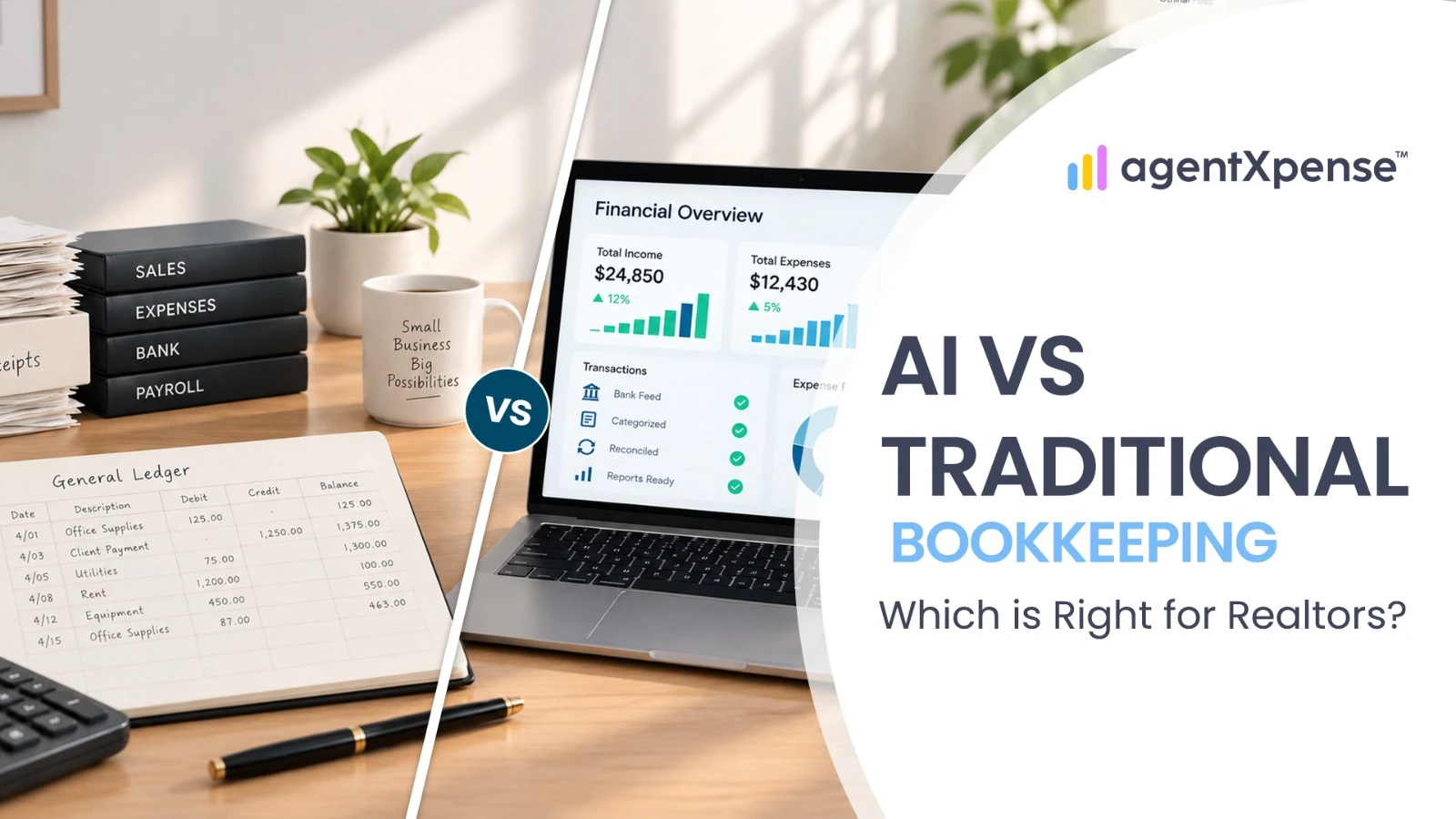
If you are weighing AI bookkeeping vs traditional bookkeeping, you are really deciding where your time and money go. Bookkeeping means keeping organized records of expenses, income, commissions, receipts and, where applicable, sales tax. The question is whether you do that work by hand, hand it to a professional, or let software prepare the repetitive parts while you review the results.
This guide compares four ways to handle your books (spreadsheets, DIY bookkeeping software, a human bookkeeper and AI-assisted software) on cost, time, accuracy and real estate workflows. It also shows where human review still matters, what to do if you have fallen behind, and how the hybrid approach works in practice with AgentXpense, our own bookkeeping software for Realtors, so keep that in mind as you read.
For many Realtors, a hybrid workflow is a practical option: AI-assisted software handles repetitive data entry, you review and approve the results, and a qualified tax professional handles tax-specific decisions and filing.
Spreadsheets usually have little software cost, but they require more manual work.
DIY bookkeeping software adds structure and reports, but is built for general small businesses and you still categorize and review much of it yourself.
A human bookkeeper can take bookkeeping work off your plate but adds a recurring service cost, which varies by provider.
AI-assisted software can reduce repetitive data entry, but you still review the results.
AgentXpense costs $14/month, or $9.99/month billed annually ($119.88/year).
AgentXpense focuses on organizing your real estate records, deals, and commissions to make tax time seamless for you and your accountant.
Traditional bookkeeping for real estate agents usually means one of three approaches. Each suits a different type of agent.
You receive a receipt, type the vendor, date and amount into a sheet, choose a category and save the receipt somewhere else. Then you repeat that for every transaction. This is the classic form of manual bookkeeping for Realtors.
Pros:
Little or no software cost
Full control over your records
Easy to start
Cons:
Every entry is manual
Duplicates and typos can creep in
Receipts can get separated from the records they support
Best for: New agents with very few transactions.
General bookkeeping tools add structure for income, expenses and reports. If you are moving off spreadsheets, see our spreadsheet to QuickBooks migration guide.
Pros:
More structure and reporting than a spreadsheet
Bank feeds in many platforms
Cons:
Built for general small businesses, so deals, commission information and brokerage deductions may need workarounds
You still categorize and review much of it yourself
Best for: Agents comfortable with bookkeeping software who want a structured system.
You send receipts, statements and deal information, and the bookkeeper maintains your books.
Pros:
Less bookkeeping work for you
A professional reviews your records
Can be delegated as your volume grows
Cons:
Recurring service cost
Results depend on the bookkeeper's workflow and on how organized your documents are
Best for: Agents who prefer to delegate bookkeeping and are comfortable paying for it.
AI bookkeeping for real estate agents is software that uses AI for repetitive bookkeeping tasks, such as reading receipts, suggesting expense categories, mapping bank statement columns and flagging duplicates, while you review and approve every result. It supports your books and works alongside your bookkeeper's judgment or tax professional.
Typical features include:
Receipt scanning: reading a receipt image or PDF and pre-filling the vendor, date, amount, tax type (when detectable) and a note
Categorization: suggesting a category from vendor context and your past entries
Statement import: mapping the columns of CSV and Excel files and extracting information from PDF statements with AI-assisted document processing
Duplicate detection: flagging transactions that may already exist
The workflow looks like this:
AI prepares the data → you review it → approved data becomes part of your records
In practice, AI-assisted bookkeeping for Realtors works as a data-entry and organization assistant. For a closer look at its strengths and limits, read Can AI Handle Real Estate Bookkeeping?
Here is a side-by-side look at AI vs manual bookkeeping, plus DIY software and delegated bookkeeping, task by task.
Factor | Spreadsheet / Manual | DIY Bookkeeping Software | Human Bookkeeper | AI-Assisted Software |
|---|---|---|---|---|
Receipt entry | You type every field | You enter most fields (features vary by tool) | Bookkeeper enters it | Fields can be extracted and pre-filled |
Categorization | You choose each one | You choose, or the tool suggests (varies by tool) | Bookkeeper chooses | AI suggests or pre-selects, you review |
Monthly time from you | Most hands-on time | Less typing if bank feeds are used, but you still categorize and review | Least hands-on (you still send documents) | Less typing, but you review and correct |
Typical cost | No software cost, plus your time | Subscription plus your time | Recurring fee (varies by provider) | Subscription (AgentXpense: $14/month, or $9.99/month billed annually) plus review time |
Error risk | Typos, duplicates, missed entries | Depends on setup and how closely you review | Depends on workflow and what you provide | You review and correct AI-filled fields |
Handling more transactions | Time grows with every transaction | Bank feeds can help, review stays manual | Can be delegated | Reduces repetitive entry |
Real estate workflows | You build deal and commission tracking yourself | Built for general small businesses, so deals may need workarounds | Depends on their real estate experience, so ask | Depends on the tool (AgentXpense has deals, commissions and Pre-Con) |
Tax-oriented reporting | You assemble reports | Standard reports you adapt to your needs | Bookkeeper prepares records | Reports and exports help organize records |
Human review | You | You | Bookkeeper | You (and ideally a tax professional at year-end) |
The key difference in automated bookkeeping vs manual bookkeeping is where the work happens. Manual methods take more of your time, delegated methods shift the work to a professional, and AI-assisted methods shift repetitive preparation to software while keeping a review step.
Actual prices depend on the provider, your location and your transaction volume, so ask for a quote based on your own numbers. The structure of the cost is what differs:
Spreadsheet: little or no software cost, plus your time.
DIY bookkeeping software: a subscription plus your time.
Human bookkeeper: a recurring service fee.
AI-assisted software: a subscription plus your review time.
The software price is rarely the whole picture. Use this simple formula to find your real cost:
Hours per month on bookkeeping × the value of your hour = your monthly time cost
For example (illustrative numbers, plug in your own): if you spend 4 hours a month on data entry and value your time at $50 an hour, manual bookkeeping costs you about $200 a month in time. Compare that figure with a software subscription or a bookkeeper's quote.
AgentXpense offers a 30-day free trial with no credit card required, including AI receipt scanning, statement import, deals and commission tracking, Pre-Con projects and reports. Bank connections are available on paid plans. Start your free trial.
Picture a Realtor who collects receipts all month, imports a bank statement and records commissions from closed deals.
Manual workflow: enter each receipt, choose categories, type in statement lines, check for duplicates and record commission details.
AI-assisted workflow: receipts are pre-filled, statements are imported with AI-assisted column mapping, and your job becomes reviewing and correcting.
The savings come from skipping repetitive typing, not from skipping the check. Track your hours for one month under each method and you will have your own answer.
No method is automatically accurate.
Manual bookkeeping errors: wrong amounts or dates, wrong categories, duplicates, missed transactions.
AI errors: misread receipts or wrong category guesses on unusual vendors, which is why AI-filled fields are highlighted for you to confirm.
What differs is how errors get caught. In a good AI workflow, you see what the AI filled in and approve it. In AgentXpense, AI-filled receipt fields are highlighted for review, and category suggestions carry confidence levels:
High: strongly similar to vendors you have categorized before. The category is applied automatically, so still check it during review.
Medium and Low: shown as suggestions for you to confirm
Treat AI suggestions as a starting point and confirm before saving.
Realtor bookkeeping automation works best on repetitive tasks that are easy to review. Here is what that includes:
Receipt data entry: reading vendor, date and amount from receipts. See how to organize real estate receipts.
Expense categorization: context-aware suggestions that can match vendor name variations to ones you have categorized before.
Statement imports: CSV, Excel and PDF statements, with imported transactions landing in a review queue. For bank syncing, see bank connections for Realtors.
Duplicate checks: possible duplicates shown side by side so you decide how to handle them.
Commission recording: once a deal closes and you enter the details, income can flow into your reports. See commission tracking for Realtors.
Pre-construction payments: staged payments are easier to follow in a dedicated tracker. See pre-construction commission tracking.
If you are comparing specific tools, our guide to the best AI bookkeeping software for Realtors covers that separately.
Keep a person in charge of anything that needs judgment:
Unusual transactions. If a vendor or expense does not fit your history, the AI has less history to work from, so review matters more.
Business vs. personal expenses. Software can organize a purchase, but whether it qualifies as a business expense can require professional judgment.
Commission accuracy. Net pay, commission amount, received date, brokerage deductions and tax information should match your brokerage and transaction records.
Tax treatment. Software organizes your records so your tax professional can easily decide how they are taxed and file your return.
Year-end review. Have your accountant or tax professional look over the numbers before you file. Our year-end financial checklist for Realtors shows what to prepare, and bank reconciliation for real estate agents explains how to check your records against your statements.
One common setup looks like this:
Daily or weekly: upload receipts and review AI suggestions.
Monthly: review imported transactions and compare totals with your bank statements.
Per deal: record commission details and brokerage deductions when the deal closes.
Year-end: export reports and receipts for your accountant or tax professional.
In short: AI handles repetitive data preparation → you review and approve → a qualified tax professional handles tax-specific decisions.
Most agents fall behind at some point, usually during a busy run of closings. A bookkeeping catch-up is different from daily upkeep because the work arrives in bulk, so the method you choose matters more. The steps are the same whether you do the Realtor expense cleanup yourself, hand it to a bookkeeper or use software:
Pick a starting point. Choose the last month you know is accurate, or the start of the tax year, and work forward one month at a time.
Start with statements, not receipts. Bank and credit card statements show every charge with a date, vendor and amount, so they are the backbone of any bookkeeping cleanup for Realtors. Importing them is faster than retyping them.
Look for missing expenses. Compare your records against the statements. Missing expenses often hide in small recurring charges such as subscriptions, MLS and association fees, signs, photography and marketing.
Replace lost receipts where you can. Lost receipts are common in real estate, where spending is spread across many vendors. A statement line gives you the date, vendor and amount, and many vendors can resend an invoice or receipt. Ask your tax professional what documentation they need, because requirements vary.
Digitize old receipts now. Photograph or scan old receipts before they fade or go missing, then attach each one to its entry. Our guide on how to organize real estate receipts shows a simple system.
Clean up and hand off. Review duplicates and categories, then give organized records to your accountant. Our year-end financial checklist for Realtors lists what to include.
How each method handles a backlog:
Spreadsheet: every line is typed by hand, so a large backlog is slow.
Human bookkeeper: can take the backlog off your plate. Ask whether catch-up work is quoted separately and how they handle missing receipts.
AI-assisted software: statement imports can bring in many transactions at once and receipts are pre-filled, but you still review every line. In AgentXpense, imported transactions wait in Transaction Review, possible duplicates are flagged, and AI-filled receipt fields are highlighted for you to check.
If you are also behind on tax filings, talk to a tax professional soon. Software organizes your records perfectly so your tax professional can easily handle late returns.
New agent with few transactions: A spreadsheet can work, but building an organized habit early can help as you grow. A free trial of software lets you test the alternative at no cost.
Agent who wants more structure than a spreadsheet: DIY bookkeeping software can organize income, expenses and reports, though deals and commissions may need workarounds.
Busy agent with many receipts and deals: AI-assisted software can reduce repetitive data-entry work, particularly when receipts and transactions are frequent.
Agent with a backlog: Start with statement imports and a clear starting month, as described above, and consider a bookkeeper if the backlog is large.
Agent who prefers to delegate: A human bookkeeper can handle the work. Keeping receipts, income and deals organized in software first can make their job easier.
Any agent with tax questions: Work with a qualified tax professional for strategy and filing.
Your books should be ready for the forms you actually file.
United States: Self-employed agents generally report business income and expenses on Schedule C. Consistent categories make that easier. See our Realtor tax deduction cheat sheet.
Canada: Agents registered for GST/HST need accurate records of tax collected and tax paid on expenses. See the CRA's GST/HST guidance for businesses and our guide to GST/HST records for Canadian Realtors.
Rules vary by province, state and personal situation, so confirm details with a qualified tax professional.
AgentXpense is bookkeeping software built specifically for real estate agents in the U.S. and Canada. It is designed around the hybrid workflow described above: AI prepares the data, and you review it before it becomes part of your records.
Here is what that looks like in practice.
When you add an expense, you can upload a receipt (JPG, PNG, HEIC or PDF, up to 20 MB). AgentXpense reads it and pre-fills the vendor, date, amount, tax type when detectable, and a note. The AI-filled fields are highlighted so you can check them before saving.
AgentXpense suggests a category based on vendor context and your previous entries, with a confidence level. High-confidence matches are applied automatically, so check them during review. Medium and Low suggestions are shown for you to confirm.
Instead of typing statement lines, you can import CSV, Excel or PDF statements. AI helps map the columns in CSV and Excel files, and PDF statements are processed with AI-assisted document processing. Imported transactions wait in a Transaction Review queue, where you can adjust categories, handle possible duplicates and accept them. If you mark a flagged duplicate as "Keep Separate," the system remembers that choice.
Deals can be tracked as Active, Pending or Closed. When you enter commission details for a closed deal (net pay, commission amount, received date, tax type and brokerage deduction), the commission income feeds into your Commissions view and Reports. For pre-construction projects, the Pre-Con module supports up to four payment tranches per project.
At year-end, set a date range in Reports and print the Financial Report. Then, from the Expenses and Income pages, export each as a CSV and use Download Receipts to get your receipts as a ZIP file. Reports include Sales Tax Received, Sales Tax on Expenses and Payable / Refund, so your tax professional has organized records to work from.
For sales tax, AgentXpense tracks a single sales tax rate that you set in your profile and organizes the sales tax data perfectly so your accountant has it ready for filing.
AgentXpense also supports optional read-only bank connections through Plaid, with transactions syncing weekly into Transaction Review.
AgentXpense is designed for real estate agents who want their bookkeeping and deal-related financial records organized and connected to their deals.
It can be a good fit if your bookkeeping involves:
Regular receipts and business expenses that you want to capture without entering every detail manually
Real estate commissions and brokerage deductions that need to stay connected to your deals
Multiple deals at different stages, from Active and Pending through Closed
Pre-construction commissions that arrive across multiple payment tranches
U.S. or Canadian bookkeeping requirements, including sales-tax information and financial reporting
An accountant or tax professional who needs organized records at year-end
The main idea: capture the information, review what the software prepares, track your deals and commissions, and export organized records when you need them.
AgentXpense works alongside your accountant or tax professional. It helps organize and prepare your financial records so tax decisions and filing remain smooth and easy for you and your qualified tax professional.
Start your 30-day free trial. No credit card required.
AI bookkeeping can reduce repetitive data entry compared with manual bookkeeping, but it still requires review. Manual bookkeeping gives you direct control over every entry. The right choice depends on your transaction volume, budget and how much bookkeeping you want to handle yourself.
AI works alongside your accountant. It organizes receipts, suggests categories, processes statements, and prepares reports so your qualified tax professional can easily handle tax decisions and filings.
It depends on the provider, so check how your data is handled, how financial connections work and whether you can review everything before it becomes final. AgentXpense's bank connections use Plaid and are read-only, imported transactions go through Transaction Review before they become accepted records, and receipts are stored encrypted in the cloud. It also asks for an email code when you sign in from a new device. As with any financial tool, use strong credentials and protect your account.
Accuracy depends on receipt quality and how familiar the vendor is. AI tends to do well with clear receipts and familiar vendors and worse with unusual transactions or poor-quality images. That is why you should review AI-filled fields and confirm lower-confidence category suggestions before saving.
Fees vary by provider, location and volume, so request a quote based on your actual receipt and deal volume. For comparison, AgentXpense costs $14/month, or $9.99/month billed annually.
It can be, as long as you record transactions consistently instead of waiting until year-end. Keeping deals, commissions, brokerage deductions, income and expenses up to date makes irregular months easier to follow.
Start with your bank and credit card statements. Record or import them from your oldest unrecorded month forward, then match receipts to each line and track down anything missing. Lost or old receipts can often be replaced with a vendor copy or an email record, and your tax professional can tell you what documentation they need. If you are also behind on tax filings, speak to a tax professional soon.
When it comes to bookkeeping for Realtors, traditional methods take either your time or a recurring fee. AI-assisted bookkeeping shifts your effort from typing to reviewing. A common workflow is software for repetitive preparation, your review and approval, and a qualified tax professional for tax-specific decisions.
Ready to try the workflow on your own receipts? Start your 30-day free trial of AgentXpense. No credit card required. Current plans are on the pricing page.
Months behind on bookkeeping? Here's a 5-step process to recover receipts, sort your expenses and get your books current without starting from scratch.

Stop spending your 11 p.m. evenings sorting faded receipts. Learn exactly what AI bookkeeping can automate for real estate agents, where your human review still matters, and how Agent Xpense saves you hours of manual work.

Wondering how much a Realtor should set aside for taxes? There is no fixed percentage. Learn how to calculate your tax reserve, track deductible expenses, and handle US & Canada taxes easily.
2255 Dundas Street West, Suite 207 Mississauga, ON L5K 1R6
© Agent Xpense Inc. All rights reserved.