

Real Estate Tips
Catch-Up Bookkeeping for Realtors: How to Fix Months of Missing Expenses
Months behind on bookkeeping? Here's a 5-step process to recover receipts, sort your expenses and get your books current without starting from scratch.

A real estate deal is never just a commission check. Behind every transaction is a property, a client, a status that keeps changing, a payment that may or may not have arrived yet, and a handful of expenses — photography, staging, marketing, closing gifts — that quietly pile up along the way. For a Realtor juggling several deals at once, keeping all of that connected is the real challenge, not remembering that the deal exists in the first place.
This is what real estate deal tracking software is for. It gives agents in the USA and Canada one place to record a transaction from the day it becomes active to the day the commission is paid, instead of splitting that information across a CRM, a spreadsheet, an email folder, and a bank statement. Whether you call it realtor deal tracking, real estate transaction tracking, or deal management, the purpose is straightforward: keep the transaction details and financial records connected.
Real estate deal tracking is the process of recording and updating the details of a transaction as it moves from active to pending to closed — and connecting that transaction to the financial activity around it.
At a minimum, a deal record should hold the property address, the client, the transaction type, and key dates. A more useful system goes further and connects the deal to commission details, related expenses, receipts, and notes, so the transaction tells the full story rather than just a closing date and a dollar figure.
Category | Details Tracked |
Transaction | Property address, deal type (buyer, seller, lease), list or purchase date, price |
Status | Active, Pending, or Closed |
People | Linked client(s) — buyer, seller, or both |
Commission | Agent commission, brokerage deduction, net pay, received date, tax type |
Supporting records | Notes, linked expenses, receipts |
In AgentXpense, deals are organized under three default categories — Sellers, Buyers, and Leases — with custom categories available if an agent's business needs something different. Each deal can carry a property address, list or purchase date, price, status, linked clients, and notes. Once a deal moves to Pending or Closed, commission fields open up: net pay, received date, agent commission with tax type, and brokerage deduction.
A commission number on its own doesn't say much. Whether that commission is expected, under contract, or already in the bank changes how an agent should think about it — and that's exactly what deal status is for.
Status | What It Means |
Active | Deal is in progress; no commission recorded yet |
Pending | Under contract or awaiting closing; commission fields available |
Closed | Transaction complete; commission can be finalized |
AgentXpense's dashboard rolls this up into a deal pipeline — total deals, closed vs. pending vs. active, and a commission outlook based on what's still pending. An agent can quickly see which deals are active, pending, or closed and review the commission outlook for pending transactions, without opening a single spreadsheet.
Commission is often one of the most significant financial records associated with a transaction, but the amount alone does not provide the full context of the deal — which property, which client, what it cost to get there.
When a deal in AgentXpense is marked Closed and the commission details are entered, that commission is created automatically in Income → Commissions and flows straight into Reports and the Dashboard. There's no second entry to make. The commission stays attached to the deal it came from, so an agent reviewing income later can trace it back to the exact transaction — not just a line item that says "commission, $18,500."
The platform also records the brokerage deduction and net pay as part of the same deal record, so the split between what the brokerage kept and what the agent actually received is visible without cross-referencing a separate statement.
Deals rarely happen without spending money along the way — photography, staging, signage, marketing, sometimes a closing gift for the client. When those costs are logged separately from the transaction that caused them, an agent loses the ability to answer a simple question: what did it actually cost me to close this deal?
AgentXpense lets any expense or income record be linked directly to a deal at the time it's added or edited. A staging invoice, a photographer's receipt, a closing gift — each can sit against the same deal record as the commission it helped generate. When the deal is reviewed later, the full financial picture is right there instead of scattered across the Expenses list.
Not every deal pays out in one lump sum at closing. Pre-construction and new-development sales often pay commission in installments — a deposit here, a milestone payment there, spread out over months.
AgentXpense handles this with a dedicated Pre-Con module, separate from standard buyer/seller/lease deals. It tracks the project name and address, accepted date, linked clients, status, and up to four payment tranches — each with its own net pay, received date, commission amount, and tax type. As payments come in over time, each one feeds into Commissions and Reports just like a standard closed deal would.
Spreadsheets aren't a bad place to start. A simple list of properties, prices, and closing dates works fine when there are only a few deals to track. The friction shows up as volume grows — receipts live in one folder, expenses in another app, client details in a CRM, and the spreadsheet itself needs constant manual updating just to stay accurate.
Spreadsheet Tracking | Dedicated Deal Tracking (AgentXpense) |
Fields built manually, differently each time | Structured fields built into the workflow |
Client info kept separately | Clients linked directly to each deal |
Commission tracked in a second sheet | Commission auto-flows from closed deals |
Expenses tracked elsewhere entirely | Expenses/income linked directly to the deal |
Status updated by hand, easy to forget | Status (Active/Pending/Closed) is part of the record |
Deal summaries and financial information maintained manually | Reports generated from the same recorded data, any time |
The point isn't that spreadsheets can't hold the data — it's that someone has to keep re-entering and reconciling it across every tool. A dedicated tracker keeps it in one place from the start.
These two get confused often enough that it's worth separating them clearly.
Real estate transaction management software is usually built for the operational and compliance side of a deal — document signatures, deadlines, approvals, brokerage-level workflows. It's often used at the office or brokerage level, not by an individual agent working solo.
Deal tracking, as AgentXpense approaches it, is financial. It answers questions like: what's the status of this deal, what commission is tied to it, has that commission been paid, and what did the deal cost in expenses? Deal tracking focuses on the financial side of the transaction, including status, commission, linked expenses, receipts, and payment records — not brokerage document compliance.
An agent might reasonably use both — a transaction management platform for paperwork and deadlines, and AgentXpense for the financial and commission side of the same deal.
For Realtors in both the USA and Canada, keeping transaction and financial records organized can make ongoing bookkeeping easier.
Area | USA | Canada |
Business income | Commission and related real estate income | Commission and related real estate income |
Sales tax | State and local rules vary | GST/HST may apply depending on registration status |
Vehicle records | Business-use vehicle expenses may need documentation | Business-use vehicle and kilometer records may be relevant |
Tax filing | Depends on business structure and individual circumstances | Depends on structure, province, and registration status |
AgentXpense's Reports module surfaces income, expenses, net income, sales tax received, sales tax on expenses, and the resulting payable/refund position for any date range — useful for either market. It doesn't file taxes or replace an accountant. What it does is keep those numbers ready, so when tax season comes — or an accountant asks for a quick summary mid-year — the agent isn't digging through receipts and bank statements to put it together.
A quick walkthrough of how this looks in practice, from the first showing to the commission check.
An agent takes on a new listing and creates the deal in AgentXpense as Active, entering the property address, price, and linking the seller from Clients. Over the following weeks, marketing and staging expenses come in — each one gets linked back to this same deal, so the running cost of the listing stays visible.
Once an offer is accepted and the deal goes under contract, the status moves to Pending. Commission fields open up — expected net pay, agent commission, and brokerage deduction can be entered as soon as those numbers are known, even before closing.
At closing, the agent updates the status to Closed, confirms the final commission and received date, and saves. The commission is created automatically in Income → Commissions, and it flows straight into Reports and the Dashboard — no separate entry, no re-typing the same number into a different tool.
Months later, when it's time to review the year or hand records to an accountant, that one deal still shows its property, its client, its full commission breakdown, and every linked expense — all in the same place it started.
Switching to a dedicated tracker doesn't mean re-typing every past transaction by hand. AgentXpense supports importing financial data via CSV, Excel, and PDF. CSV and Excel files go through AI-assisted column mapping (matching your bank's columns to Date, Vendor, Amount, and so on); PDF statements go through OCR and AI extraction. Imported transactions land in Transaction Review first, so nothing hits the ledger until it's been checked.
Exports are available too — Deals, Commissions, Income, Expenses, Pre-Con, Clients, and Notes can all be pulled out as CSV, and reports can be printed straight to PDF through the browser. Useful at tax time, or any time records need to leave the platform.
Deal tracking software like this fits independent Realtors and agents in the USA and Canada managing multiple active transactions who are tired of stitching together a spreadsheet, a receipts folder, and a separate accounting tool. It's particularly useful for agents who want deal status, commission tracking, linked expenses, client records, and organized financial reports without maintaining four separate systems to get there.
A deal is more than its closing date and commission amount. Status, client, linked expenses, receipts, and payment details all add up to a much more useful record — one an agent can actually look back on months later and understand, without reconstructing it from five different places.
AgentXpense keeps Deals, Commissions, Income, Expenses, Clients, Pre-Con, and Reports in one workspace built around how real estate professionals in the USA and Canada actually work. For agents ready to move beyond spreadsheets while keeping their financial and deal records connected, AgentXpense provides a practical option built around real estate workflows.
It's software that helps Realtors record and monitor transaction details — property information, clients, deal status, dates, commissions, payments, expenses, and notes — in one place, so active, pending, and closed deals can be reviewed without piecing information together from separate tools.
Transaction management software is typically built for the operational and compliance side of a deal — documents, signatures, deadlines, brokerage approvals. Deal tracking, as AgentXpense does it, focuses on the financial side: status, commission, linked expenses, and payment records for an individual agent's own bookkeeping.
Yes. When a deal is marked Closed and commission details are entered, the commission is created automatically in Income → Commissions and reflected in Reports and the Dashboard — no separate entry needed.
Yes. Any expense or income record can be linked to a deal when it's added or edited, which makes it possible to see the full cost of closing a specific transaction.
Yes, through a dedicated Pre-Con module that supports up to four payment tranches per project, each with its own net pay, received date, and commission details.
Yes. It's built for real estate professionals in both markets. Tax and sales tax treatment (including GST/HST in Canada) depends on individual circumstances and should be reviewed with a qualified tax professional — AgentXpense organizes the records, not the filing.
No. There's a Vehicle Expenses category for logging vehicle-related business costs, but not a GPS mileage tracker or per-mile calculator. That requires a separate dedicated tool.
Yes, through CSV, Excel, and PDF import, with AI-assisted column mapping for spreadsheet files and OCR/AI extraction for PDF statements. Imports go through a review step before becoming official records.
Yes — 30 days, no credit card required, including Deals, Pre-Con, Clients, Reports, manual expense/income tracking, and AI receipt scanning. Bank connections and Refer & Earn require a paid plan.
Months behind on bookkeeping? Here's a 5-step process to recover receipts, sort your expenses and get your books current without starting from scratch.
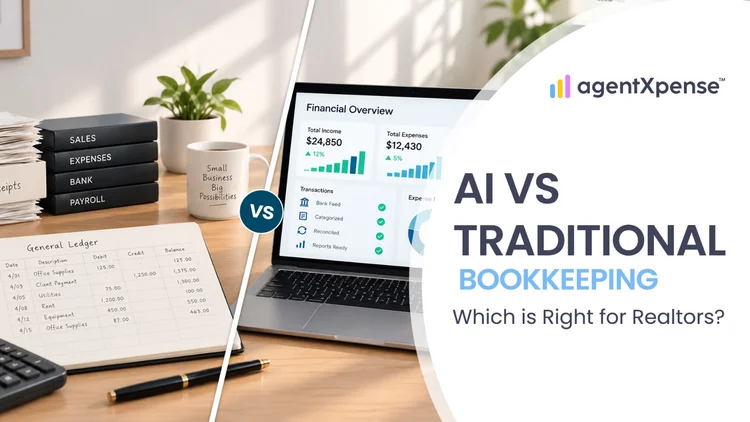
Should Realtors keep their books by hand, hire a bookkeeper or use AI? Compare the options on cost, time and accuracy before you decide.

Stop spending your 11 p.m. evenings sorting faded receipts. Learn exactly what AI bookkeeping can automate for real estate agents, where your human review still matters, and how Agent Xpense saves you hours of manual work.
2255 Dundas Street West, Suite 207 Mississauga, ON L5K 1R6
© Agent Xpense Inc. All rights reserved.