

Real Estate Tips
Catch-Up Bookkeeping for Realtors: How to Fix Months of Missing Expenses
Months behind on bookkeeping? Here's a 5-step process to recover receipts, sort your expenses and get your books current without starting from scratch.

A commission does not always arrive the moment a real estate deal closes. Between an accepted offer and money in the bank, Realtors may need to keep track of pending payments, brokerage deductions, received dates, and, in some cases, multiple payments from the same transaction. For agents managing several deals at once, keeping those details organized can become difficult quickly. Commission tracking software gives agents in the USA and Canada a structured way to keep these commission records connected to the deals they came from.
That's what commission tracking is for. It gives agents in the USA and Canada a way to follow a commission from the moment a deal is created through the moment it's paid — without relying on memory, a scattered spreadsheet, or a folder of brokerage statements to reconstruct the picture later.
Commission tracking is the process of recording a commission as it moves through a transaction — from an active deal, through pending status, to a closed deal with a confirmed payment — and keeping that record tied to the deal it came from.
A useful commission record covers more than the final dollar amount. It typically includes:
The property and client the commission is tied to
Deal status — Active, Pending, or Closed
Agent commission and brokerage deduction
Net pay and the date it was received
The tax type applied to the commission
Treated this way, a commission isn't an isolated number typed into a spreadsheet cell — it's connected to the transaction, the client, and the expenses that went into closing that specific deal.
Commission tracking in AgentXpense follows the deal's status directly. There's no separate commission entry to create — commission fields open up as the deal itself progresses.
Status | What It Means | Commission Fields |
Active | Deal is in progress | Not yet available — no commission recorded |
Pending | Under contract or awaiting closing | Available — commission can be entered ahead of closing |
Closed | Transaction complete | Finalized — commission flows into Income → Commissions |
This matters because a lot of commission tracking happens before a deal closes. A Realtor with three deals under contract already knows roughly what's coming — they just need somewhere to record it before it's official.
When a deal in AgentXpense moves to Pending or Closed, four fields become available:
Field | What It Captures |
Agent Commission | The commission earned, with a tax type — None, Inclusive, or Exclusive |
Brokerage Deduction | The split taken by the brokerage |
Net Pay | What's actually received after the split |
Received Date | When the payment came in |
Once a deal is marked Closed and these details are saved, the commission is created automatically in Income → Commissions — no second entry, no retyping the same number into a different tool. It stays linked to the deal, so reviewing it later means seeing the property and client it came from, not just a line that says "commission received."
It's worth being clear about what this is and isn't: AgentXpense records the commission figures an agent enters — it doesn't calculate brokerage splits or cap thresholds on its own. The agent enters the agreed commission and deduction; the platform keeps that connected to the deal and reflected in Income, Reports, and the Dashboard from that point on.
One of the most common mistakes in commission tracking is only recording money after it lands in the bank. That leaves out everything still in the pipeline — which is often the more useful number for planning ahead.
AgentXpense's Dashboard provides a deal pipeline showing total deals, closed versus pending versus active, and a commission outlook based on what's still pending. The Commissions view under Income shows commission income pulled from closed deals and from Pre-Con payments, and can be filtered by commission type and amount. Between the two, an agent can see what's already been received and what's still expected — without cross-referencing separate lists.
Not every commission is a single check at closing. Pre-construction and new-development sales may pay out in installments over months rather than all at once.
AgentXpense handles this through a dedicated Pre-Con module, separate from standard buyer, seller, and lease deals. It tracks the project name and address, accepted date, linked clients, status, and up to four payment tranches — each with its own net pay, received date, commission amount, and tax type. As each tranche is recorded, it feeds into the same Commissions view and Reports as a standard closed deal.
A commission by itself doesn't say whether a deal was actually worth it. Photography, staging, marketing, and closing gifts all cost money along the way, and if those costs aren't tracked against the deal that generated them, there's no way to see the real result.
AgentXpense allows expenses to be linked directly to the deal they belong to. A staging invoice, a photographer's receipt, a marketing expense — each can sit against the same deal record as the commission it helped produce. Reviewing that deal later shows the commission and the costs side by side, rather than a commission figure with no context around what it took to get there.
A spreadsheet can hold a commission total. What it can't do easily is keep that number connected to the deal, the brokerage split, the linked expenses, and the supporting documents — especially as the number of active deals grows.
Spreadsheet Tracking | Dedicated Commission Tracking (AgentXpense) |
Commission entered as a flat number per row | Commission tied directly to the deal, client, and status |
Brokerage split calculated manually each time | Agent commission and brokerage deduction recorded per deal |
Pending commissions easy to lose track of | Pipeline view shows active, pending, and closed together |
Multi-payment deals tracked across extra rows or sheets | Pre-Con tranches recorded within the same project record |
Reports rebuilt manually before tax season | Commission reports available for any date range |
The mechanics of recording a commission are largely the same on both sides of the border. Where things differ is tax treatment.
Area | USA | Canada |
Commission reporting | Follows standard business income reporting practices | Follows standard business income reporting practices |
Sales tax | Not applicable to commission income | GST/HST may apply depending on registration status |
Brokerage deductions | Vary by brokerage and agreement | Vary by brokerage and agreement |
Tax filing | Depends on business structure and individual circumstances | Depends on business structure, province, and registration status |
AgentXpense's tax type field (None/Inclusive/Exclusive) applies to commission entries the same way it applies to any income or expense, which helps Canadian agents keep sales tax figures organized alongside their commission records. Tax reporting requirements vary based on the agent's business structure, location, and individual circumstances — AgentXpense doesn't file taxes or calculate GST/HST remittances, and specific filing questions should go to a qualified accountant or tax professional.
A quick walkthrough of how this looks from listing to payout.
An agent takes on a new listing and creates the deal as Active. Marketing and staging expenses come in over the following weeks, each linked back to the same deal.
An offer is accepted and the deal moves under contract — status changes to Pending. The expected agent commission and brokerage deduction can be entered now, even though the payment hasn't arrived yet, so it shows up in the pipeline and the commission outlook on the Dashboard.
At closing, the deal is marked Closed, the net pay and received date are confirmed, and the record is saved. The commission is created automatically in Income → Commissions, tied to that same property and client.
Months later, reviewing that deal shows the full picture in one place — the commission, the brokerage split, the linked expenses, and the client — instead of a single number with no context around it.
Switching from a spreadsheet doesn't mean re-entering every past deal by hand. AgentXpense supports importing financial data through CSV, Excel, and PDF — spreadsheet files use AI-assisted column mapping, and PDF statements go through OCR and AI extraction. Imports land in Transaction Review first, so nothing is added to the ledger without a check.
The Commissions view can be exported to CSV or printed as a commission report directly from the browser — useful for a quick monthly review or for handing a full income breakdown to an accountant.
Commission tracking becomes especially useful in a few common situations: several deals under contract at once with commissions still pending, payments arriving at different times across different deals, brokerage deductions that need to stay attached to the right transaction, Pre-Con projects paying out over multiple tranches, or simply wanting commission records connected to the expenses and clients tied to the same deal. AgentXpense is built around an individual agent's own workspace; it doesn't currently support shared team pipelines or brokerage-wide commission-split management across multiple agents.
A commission is easy to record after the fact. What's harder — and more useful — is knowing what's pending before it's paid, seeing it connected to the deal and expenses that produced it, and not having to rebuild that picture from a spreadsheet every time it's needed.
AgentXpense gives Realtors a structured way to record commissions, pending payments, brokerage deductions, expenses, and related deal information in one place. This can make commission records easier to review alongside the other financial information generated throughout the year.
It's software that helps Realtors record commission income as it moves through a transaction — from an active deal to pending to closed — and keeps that commission connected to the property, client, and expenses tied to the same deal.
A commission calculator estimates the payout for a single transaction. A commission tracker records and maintains the full history of commissions across every deal, including which are still pending and which have been received.
Yes. Once a deal is marked Pending, commission fields become available, and the Dashboard shows a commission outlook based on pending deals — before the payment has actually arrived.
Yes. Expenses like photography, staging, and marketing can be linked directly to the deal they belong to, so the commission and the related costs can be reviewed together.
Yes, through a dedicated Pre-Con module supporting up to four payment tranches per project, each with its own net pay, received date, and commission details.
Yes. Commission tracking works the same way in both markets; sales tax handling (including GST/HST considerations in Canada) can be applied through the tax type field, while filing requirements should be confirmed with a qualified tax professional.
Yes. The Commissions view can be exported to CSV or printed as a report directly from the browser.
Months behind on bookkeeping? Here's a 5-step process to recover receipts, sort your expenses and get your books current without starting from scratch.
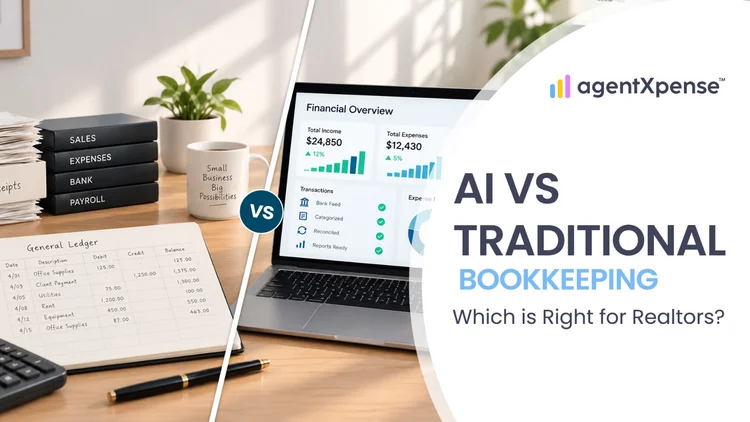
Should Realtors keep their books by hand, hire a bookkeeper or use AI? Compare the options on cost, time and accuracy before you decide.

Stop spending your 11 p.m. evenings sorting faded receipts. Learn exactly what AI bookkeeping can automate for real estate agents, where your human review still matters, and how Agent Xpense saves you hours of manual work.
2255 Dundas Street West, Suite 207 Mississauga, ON L5K 1R6
© Agent Xpense Inc. All rights reserved.