

Real Estate Tips
Catch-Up Bookkeeping for Realtors: How to Fix Months of Missing Expenses
Months behind on bookkeeping? Here's a 5-step process to recover receipts, sort your expenses and get your books current without starting from scratch.

Commission checks don't arrive on a schedule. A Realtor might close nothing for six weeks and then close three deals in one month — and mixed in with that are referral fees, the occasional BPO or staging consultation, and money that came from a dozen different sources but all looks the same once it hits the bank account. Lump it all together and you lose the ability to answer a basic question later: where did this money actually come from?
That's what real estate income tracking software is for. It gives agents in the USA and Canada a way to record commission income, referral income, and other business income separately — not as one blended number — so the records stay useful long after the deal closes, whether that's for a tax return, an accountant's request, or a plain look at how the business is actually doing.
Keeping these income records organized also supports real estate bookkeeping, giving agents a clearer record of where business income came from throughout the year.
The easiest mistake in income tracking is treating every deposit the same way. A $15,000 commission and a $2,000 referral fee get typed into the same spreadsheet column, and six months later there's no way to tell which was which without digging back through bank statements.
This matters for a few concrete reasons:
Your brokerage statement may show amounts that differ from what reaches your bank account. Brokerage deductions and other adjustments can affect the final payment, so records that only show the deposited amount may not tell the complete income story.
Referral income and commission income aren't the same kind of work. One might involve months of showings and negotiations; the other might be a phone call and a signed agreement. Blending them hides which parts of the business are actually worth the time.
"Other income" gets lost. A BPO fee or a staging consultation fee dropped into a general "income" bucket disappears into the noise instead of showing up as its own line.
AgentXpense starts with income categories, not one blended total. The default categories are Referrals and Other, and custom categories can be added for anything specific to how an agent works.
Commission income is handled a bit differently — it's recorded through the deal it came from rather than typed into a general income form, and it flows automatically into a dedicated Commissions view once a deal closes. That process — agent commission, brokerage deduction, net pay, and how it connects to a specific deal — is covered in detail in Commission Tracking Software for Realtors in the USA and Canada. For income tracking as a whole, the point is simpler: commission, referrals, and everything else stay in their own lanes instead of one blended number, and all of it rolls up together in Reports and the Dashboard.
For income that isn't tied to a closed deal — a referral fee, a BPO, a staging consultation — the workflow is the Income → Add Income form: category, source, date, amount, tax type, and an optional note. If the payment does relate to a deal (say, a referral fee connected to a transaction someone else closed), it can still be linked to that deal for context.
Every income entry also supports the same tax type logic used across the platform — None, Inclusive, or Exclusive — so an agent isn't left doing subtotal-and-tax math by hand for every referral check or side fee that comes in.
Recording income by source only helps if it's easy to review afterward. AgentXpense's Income module offers four views: Summary (totals by category with a pie chart), List View (every income transaction, searchable and sortable), Monthly View (income broken down month by month), and Commissions (closed-deal and Pre-Con commission income specifically). Between them, an agent can see the full income picture from a few different angles without rebuilding a report each time.
The Dashboard pulls the same data into a quick daily view — an Income widget showing the period total, and an Income vs. Expenses chart showing monthly cash flow across the year. Net Income (income minus expenses) sits front and center, which is often the number that actually matters more than either figure on its own.
Most agents are careful about saving expense receipts for deductions. Income documentation gets far less attention — and that's a gap worth closing. Income records may also need to be supported by commission statements, referral agreements, and other documentation when an agent or accountant reviews reported figures.
AgentXpense allows a receipt or supporting document to be attached to an income entry the same way it can be attached to an expense — a commission statement, a referral agreement, a closing document. The AI reads what it can (vendor, date, amount) and pre-fills the form, but the real value is simpler: when that income record is reviewed months later, the paperwork behind it is already attached, not buried in an email somewhere.
A spreadsheet can hold a list of numbers. Deal tracking software can connect a commission to the deal it came from and keep related income records and supporting documents organized in one place.
Spreadsheet Tracking | Dedicated Income Tracking (AgentXpense) |
One column for all income, regardless of source | Commission, referral, and other income kept in separate categories |
Commission details entered manually per deal | Agent commission, brokerage deduction, and net pay recorded per deal |
Receipts and agreements stored elsewhere | Supporting documents attached directly to the income entry |
Tax math done by hand for each entry | Subtotal, tax, and net organized by tax type |
Reports rebuilt manually at tax time | Commission and income reports available for any date range |
Income tracking needs differ somewhat depending on the market, mostly around how income is reported and taxed.
Area | USA | Canada |
Income records | Commission, referral, and other business income | Commission, referral, and other business income |
Sales tax | Rules vary by circumstances | GST/HST considerations may apply depending on registration status |
Tax reporting | Depends on individual circumstances and business structure | Depends on individual circumstances, province, and registration status |
AgentXpense's tax type field (Inclusive/Exclusive/None) and sales tax rate settings apply the same way across income and expenses, which helps Canadian agents keep sales tax figures organized in their reports. It doesn't calculate GST/HST remittances or file returns — that stays with a qualified accountant or tax professional. What it does is keep commission, referral, and other income separated and attached to their supporting records, so that reconciliation is a lookup instead of a reconstruction project.
A quick walkthrough of how the pieces connect across a typical month.
A referral fee comes in from an out-of-state agent for a client sent their way months earlier. That gets logged through Add Income, categorized as Referrals, with the referral agreement attached as a receipt.
A few weeks later, a small staging-consultation fee arrives — categorized as Other, its own line, not folded into anything else. Around the same time, a deal closes and its commission flows into Income → Commissions automatically, without a separate entry.
At month-end, the agent opens the Income Summary view and sees the full breakdown — commission, referrals, and other income, each in its own category — and checks the Dashboard's Net Income figure against that month's expenses to see where the business actually stands.
Agents switching from a spreadsheet or another tool don't need to retype past income by hand. AgentXpense supports importing financial data via CSV, Excel, and PDF — CSV and Excel files go through AI-assisted column mapping, PDF statements through OCR and AI extraction. Imported records land in Transaction Review first, where each one gets a category and tax type before it becomes part of the ledger.
Income, including the Commissions view, can be exported to CSV, and reports can be printed straight to PDF — useful for handing a full income picture to an accountant without exporting three different tools' worth of records.
Income tracking becomes especially useful when a Realtor receives money from more than one source or wants a clearer picture of monthly business performance. Instead of combining commissions, referral fees, and other payments into one running total, agents can keep each source categorized and review the full picture when needed.
Income that isn't categorized is income that has to be re-sorted later — usually under time pressure, usually right before it's needed for a tax filing or an accountant's question. Keeping commission, referral, and other income separate from the moment they're recorded means that work never has to happen twice.
AgentXpense keeps commission income tied to the deal it came from, referral and other income in their own categories, and supporting documents attached to every entry — all inside the same workspace as Deals, Expenses, Clients, and Reports. For Realtors in the USA and Canada, keeping income organized from the start makes it easier to review business performance, prepare records for an accountant, and understand where the money coming into the business is actually coming from.
It's software that helps Realtors record and categorize income from different sources — commission from closed deals, referral fees, and other business income — instead of tracking everything as one blended number, so income can be reviewed and reported accurately.
The Income Summary view shows totals by category with a pie chart, the Monthly View breaks income down by month, and the Dashboard shows a running Income vs. Expenses chart alongside Net Income for the period — all pulling from the same categorized records.
Yes. Commission statements, referral agreements, and similar records help confirm that reported income matches what a brokerage or other payer has on file. AgentXpense allows receipts and supporting documents to be attached directly to income entries, the same as expenses.
Yes. Commission income from closed deals flows into the Commissions view automatically, while referral income and other income are recorded under their own categories through Add Income.
Yes. Income entries, including referral fees, can optionally be linked to a deal for added context, even if the deal itself wasn't the source of the payment.
Yes. It's built for real estate professionals in both markets. Sales tax settings (including GST/HST considerations in Canada) can be applied to income entries, though specific filing and remittance requirements should be confirmed with a qualified tax professional.
Yes, through CSV, Excel, and PDF import, with AI-assisted column mapping for spreadsheet files and OCR/AI extraction for PDF statements. Imported records go through a review step before they become part of the ledger.
Yes. Income and Commissions can be exported to CSV, and reports can be printed to PDF directly from the browser — useful for sharing complete records with an accountant.
Yes — 30 days, no credit card required, including manual income tracking, AI receipt scanning, the Commissions view, and Reports. Bank connections and Refer & Earn require a paid plan.
Months behind on bookkeeping? Here's a 5-step process to recover receipts, sort your expenses and get your books current without starting from scratch.
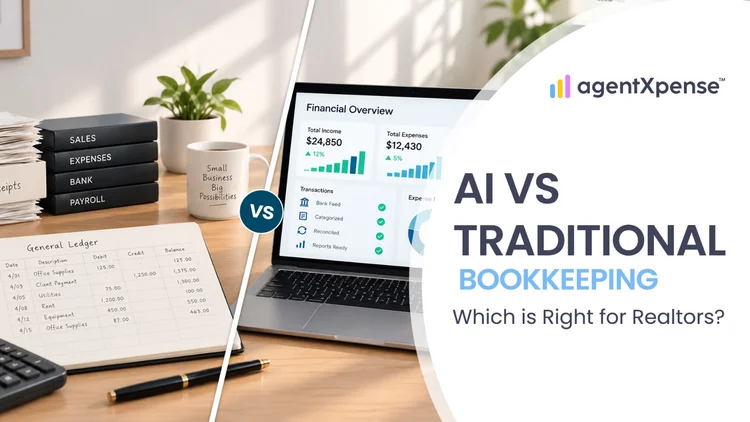
Should Realtors keep their books by hand, hire a bookkeeper or use AI? Compare the options on cost, time and accuracy before you decide.

Stop spending your 11 p.m. evenings sorting faded receipts. Learn exactly what AI bookkeeping can automate for real estate agents, where your human review still matters, and how Agent Xpense saves you hours of manual work.
2255 Dundas Street West, Suite 207 Mississauga, ON L5K 1R6
© Agent Xpense Inc. All rights reserved.