
CSV and Excel
AI suggests which column is the date, vendor, amount, debit, or credit. Adjust any mapping, then import.
TD_Business_Jul2025.csv
Trans DateDate
DescriptionVendor
AmountAmount
Upload a CSV, Excel, or PDF statement. AI maps the columns, suggests categories, and flags duplicates. Every row waits in review until you accept it.
No credit card required · 30-day free trial
CSV, Excel & PDF
Included in Free Trial
AI Suggests, You Review
Duplicate Checks
Statement import turns a file from your bank or card into expenses and income without connecting a bank. AgentXpense reads the file, maps the date, amount, and vendor, and suggests a category. Every row waits in review, so nothing goes into your ledger until you accept it.
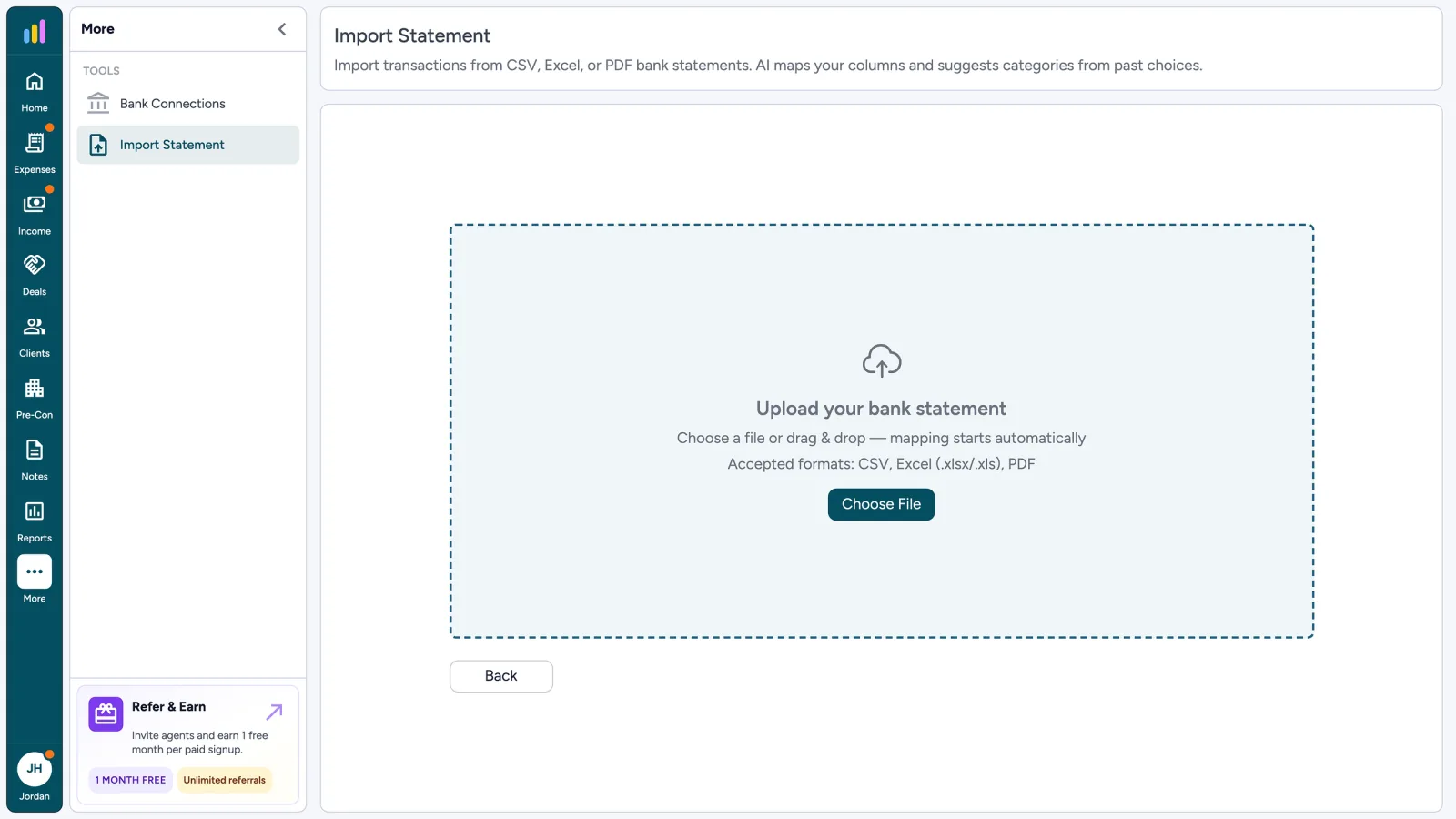
Import Statement
Import transactions from CSV, Excel, or PDF bank statements.
Upload your bank statement
Choose a file or drag & drop - mapping starts automatically
Accepted formats: CSV, Excel (.xlsx/.xls), PDF
Choose FileColumn mapping
TD_Business_Jul2025.csv
| Statement Column | Field | Preview Data |
|---|---|---|
| Trans Date | Skip This ColumnDate | 07/05/2025 |
| Description | Skip This ColumnVendor | FACEBOOK ADS |
| Amount | Skip This ColumnAmount | -680.00 |
| Memo | Skip This ColumnNote | Listing ads |
Upload, confirm the column mapping, then walk away while PDFs process. Come back to recategorize and accept in Transaction Review, the same queue used for bank sync.
Use statement import when you prefer uploading files, your bank is not available through Plaid, or you are on the free trial.
AI suggests which column is the date, vendor, amount, debit, or credit. Adjust any mapping, then import.
Rows get a suggested category from your category list. Change it before you accept. Your choice always wins.
Scanned or digital PDFs are read page by page. Trial PDF statements are limited to five pages; paid plans go further. Maximum file size is 10 MB.
Chase_Jul2025.pdf
Reading scanned pages 3/5
AgentXpense compares imported lines to expenses you already have so a second upload of the same month does not double-count.
Facebook Ads
Possible duplicate · Jul 5 · $680.00
Facebook Ads
Already in ledger · Jul 5 · $680.00
Paid plans can connect a bank through Plaid for read-only weekly sync. Statement import stays available as an alternative. Same categories, same review queue.
Imported transactions land in your expense and income ledger. Receipt scanning and bank connections have their own pages.
CSV, Excel (.xlsx or .xls), and PDF statements, including scanned PDFs. Upload your file, confirm the column mapping for CSV or Excel, and review the rows before accepting them.
AgentXpense compares imported rows with your existing records by details. Likely duplicates are flagged in review, where you can compare both side by side and merge them or keep them separate.
AgentXpense suggests a category for each row based on the vendor and the categories you have used before. Review the suggestions, change any that look off, and accept when you are ready. The category is a starting point, not a lock.
No. You can import CSV, Excel, or PDF statements without connecting a bank. Paid plans also offer an optional, read-only bank connection through Plaid.
Scanned PDFs work too. AgentXpense reads each page with OCR and uses AI to pull out the date, description, and amount. Large PDFs process in the background, and the rows appear in Transaction Review when it finishes.
No. Statement import brings in many transactions from a bank or card file. The AI receipt scanner reads one receipt and pre-fills a single expense or income record. Both end with a review step.
Yes. During the 30-day free trial, you can import CSV, Excel, and PDF statements and add expenses and receipts, with no credit card required. Connecting a bank account through Plaid requires a paid plan ($14/month, or $9.99/month billed yearly).
They go to Transaction Review, not straight into your ledger. There you can assign categories and tax types, move a row between expense and income, delete personal charges, check duplicates, and accept the rows you want to keep.
2255 Dundas Street West, Suite 207 Mississauga, ON L5K 1R6
© Agent Xpense Inc. All rights reserved.