
AI Receipt Scanner for Real Estate Agents
A receipt scanner for real estate agents: snap or upload a receipt and AI extracts the details. Review, save, and keep every receipt organized and ready when you need it.
No credit card required · 30-day free trial
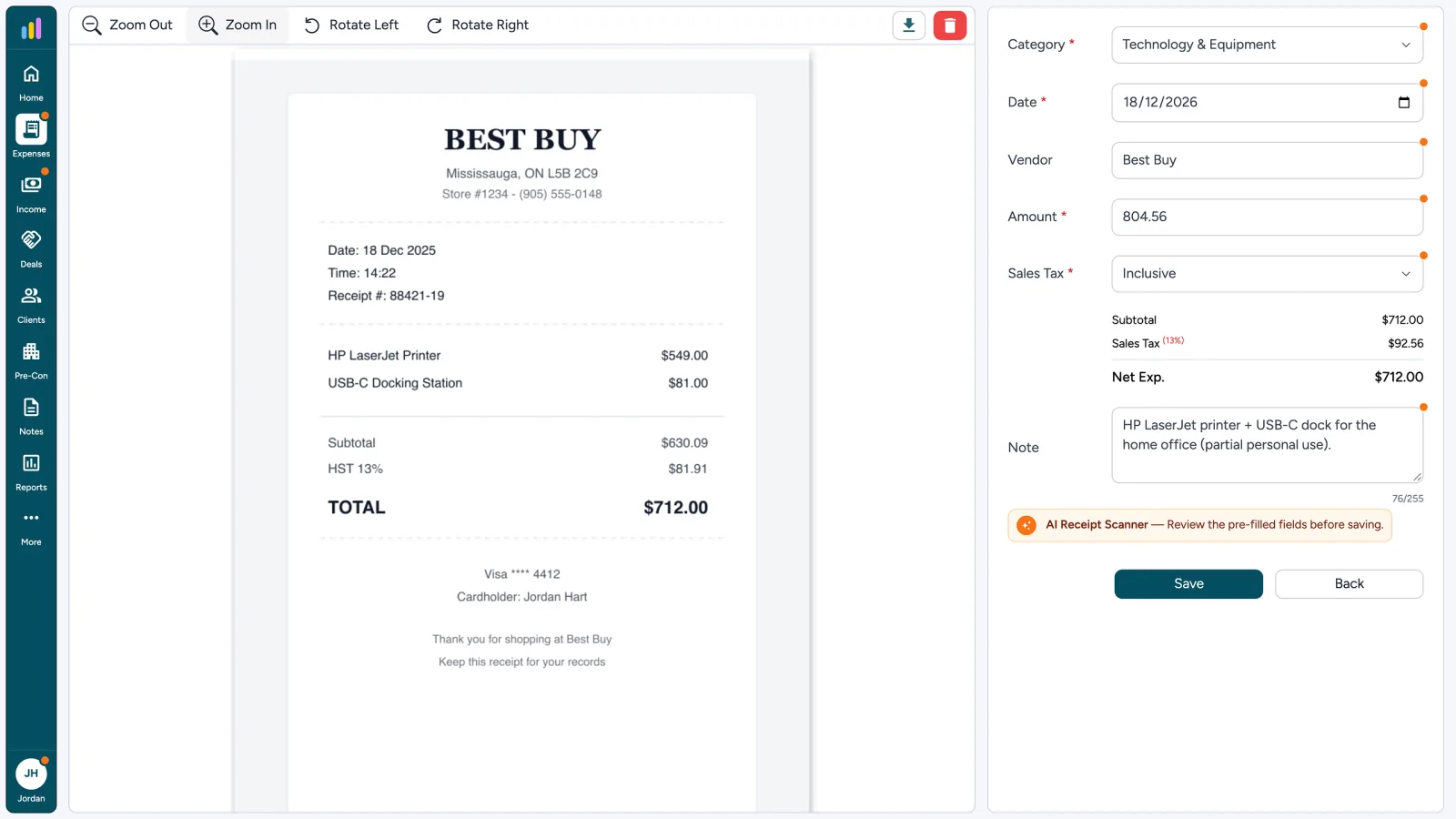
From Receipt to Saved Record
- 1
Snap or Upload a Receipt
- 2
AI Fills the Details
- 3
Review, Then Save
- 4
Receipt Stays Attached
Before & after
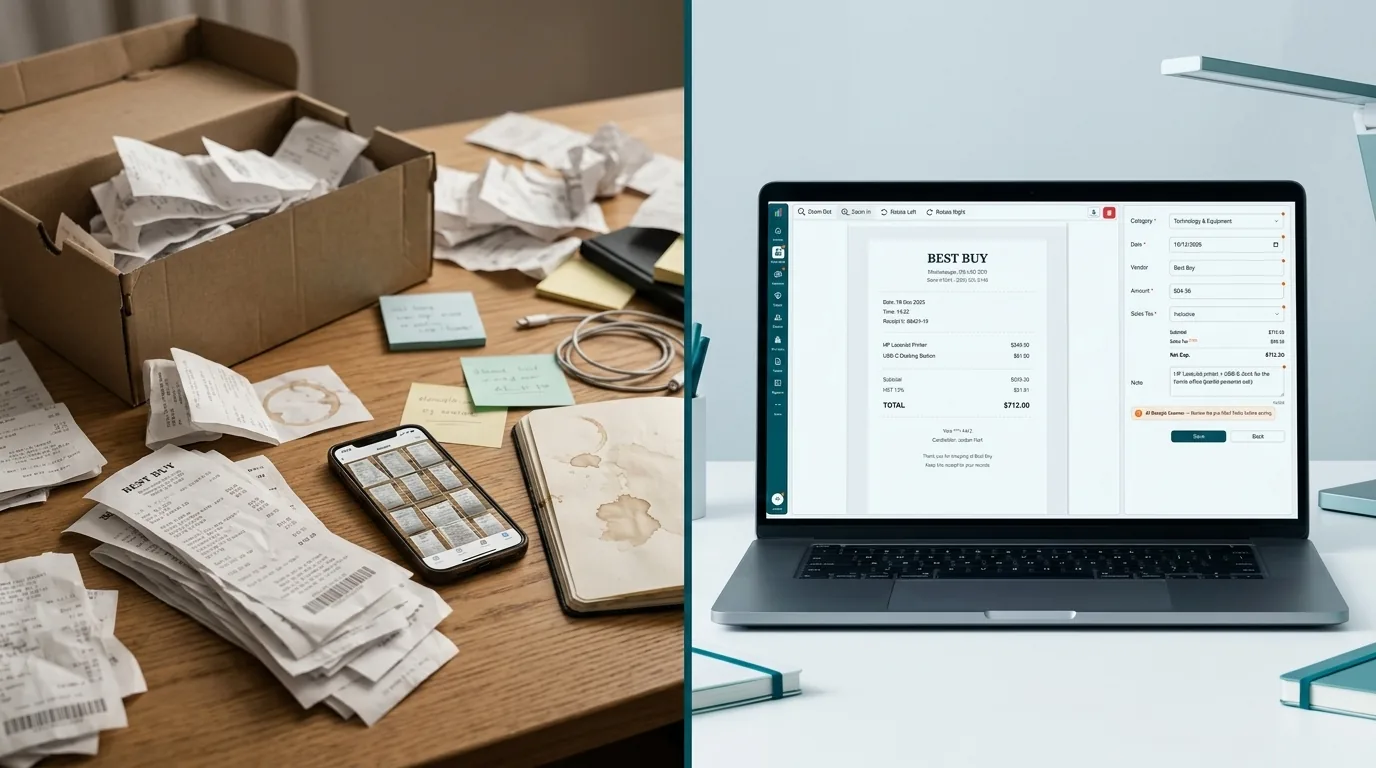
The Old Way vs. the AgentXpense Way
A photo in your camera roll is not a bookkeeping record. With AgentXpense, the receipt becomes an expense entry with the file attached.
Before it is in the books
Paper receipts piled in a cardboard box, the old way of keeping receipts.
After you confirm
AAI fills the details. You verify and save.
Old way
AgentXpense
AI Receipt Scanner
Upload your receipt or photo and let AI extract the details automatically.
JPG · PNG · HEIC · PDF · up to 20 MB
Select Fileor drag & drop here
AI Receipt Scanner
Upload your receipt or photo and let AI extract the details automatically.
JPG · PNG · HEIC · PDF · up to 20 MB
Select Fileor drag & drop here
AI is reading your receipt…
Extracting vendor, date, amount and tax
Best-Buy.jpg
JPG · 248 KB
Snap It or Drop It In
Take a photo with your phone or drop a file from your computer. AI reads it and pre-fills the entry, on an expense or an income record.
- JPG, PNG, HEIC, or PDF, up to 20 MB
- Use your phone camera or upload from your computer
- Works when you add an expense or an income record
What AI Fills In, and What You Confirm
The scanner pre-fills the entry, but nothing is saved until you save it. The category is a suggestion you can change.
AI fills
Read from the receipt so you skip typing it by hand.
- Vendor, date, and amount
- Tax type: None, Inclusive, or Exclusive
- A short note when the receipt has useful detail
- A suggested category from your category list
You confirm
Marked fields stay editable. Nothing hits the books until you save.
- AI-filled fields are marked with an orange dot
- Correct anything that looks off, including the category
- Save, and the receipt stays attached to the record
AI Receipt Scanner - Review the pre-filled fields before saving.
AI Receipt Scanner: Review the pre-filled fields before saving.
Duplicate Transaction Warning
A similar transaction has already been saved in your expenses:
Best Buy
Amount: $712.00 | Date: 2025-12-18
Do you still want to save this transaction?
Already in the Books? We Flag It When You Save.
Receipt matching happens when you save. AgentXpense compares the entry with your existing records by details. If it looks like a duplicate, you see both side by side and choose what to do.
Link to a Deal Only If It Belongs There
Deal linking is optional. Link staging, photography, or closing-gift to a deal. Unlinked receipts stay in your books unassigned.
Linked to deal
8514 E Vista Bonita Dr
A Receipt Scanner That Becomes a Bookkeeping Record
A generic scanner only digitizes the paper. AgentXpense turns the scan into an expense or income record, with a suggested category, the file attached, and totals ready for your reports.
- 01
Scan
Photo or file. JPG, PNG, HEIC, or PDF up to 20 MB.
- 02
Confirm
AI fills the entry. You review marked fields, then save.
- 03
Keep
The receipt stays on the record for reports and your accountant.
What Happens After the Scan
The scan is where it starts. Explore the expense ledger, smart categories, statement import, and bank connections.
AI Receipt Scanner FAQ
You upload a photo or PDF of a receipt when adding an expense or income. The receipt scanner reads the text, pre-fills the vendor, date, amount, tax type, and note, and suggests a category. You review the marked fields and save.
When you save, it compares vendor, amount, and date with your existing records. If receipt matching finds a likely duplicate, you see both entries and choose what to do.
Every pre-filled field stays editable. AI-filled fields are marked so you can spot them, and nothing is saved until you click Save. Correct the vendor, date, amount, tax type, or category, then save.
It suggests one. AgentXpense compares the vendor with the categories you have used before and pre-selects the best match. You can change it before saving, and the app learns from your choices over time.
JPG, JPEG, PNG, HEIC, and PDF files, up to 20 MB each. iPhone HEIC photos are converted automatically.
AgentXpense stores the original file with the record, but record-keeping rules depend on your tax authority (IRS or CRA). Check with your accountant before discarding paper receipts.
Yes. Receipts are stored in encrypted cloud storage and linked to their expense or income record. Files are opened through secure, signed links, and each account's data is kept separate.
Yes. Open any expense or income record to view, zoom, rotate, or download its receipt. You can also use Download Receipts to export all receipts for a date range as a ZIP file.
Yes. AgentXpense runs in your phone's browser, so you can photograph a receipt and upload it right away. iPhone HEIC photos are supported.
Yes. AI receipt scanning is included in the 30-day free trial, and no credit card is required. After that, plans are $14/month, or $9.99/month billed yearly.
2255 Dundas Street West, Suite 207 Mississauga, ON L5K 1R6
© Agent Xpense Inc. All rights reserved.