

Uncategorized
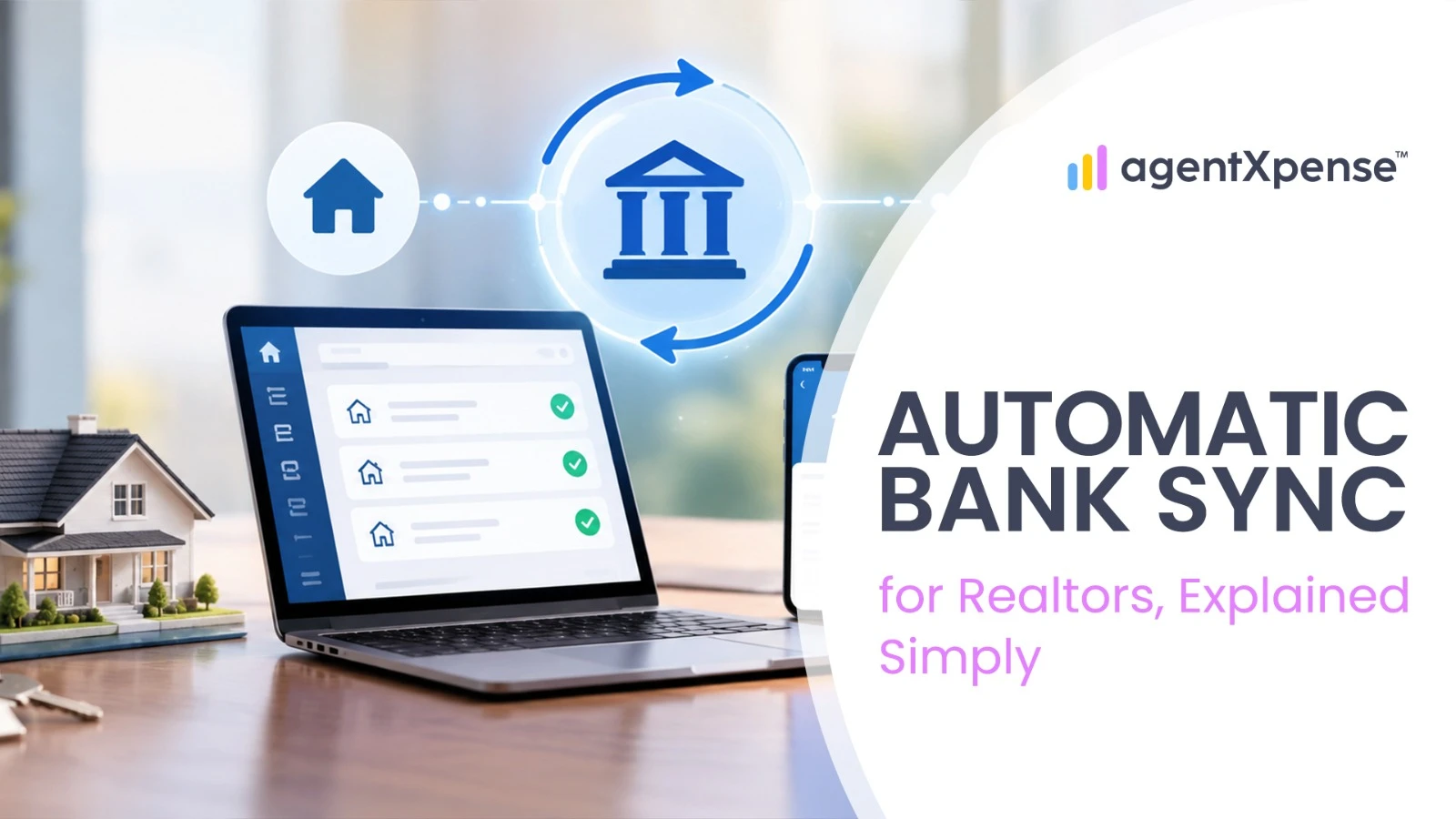
Bank connections for realtors are meant to solve one very specific headache: commission checks don't arrive on a payroll schedule. They land as one large lump sum, weeks after the actual closing, in an amount that may not match the gross commission shown on the deal after brokerage deductions and other adjustments. This guide breaks down exactly what a bank connection can see, how often it actually updates, and what still needs a human on the other end — so "connect your bank" stops being a black box.
Connecting a bank account through a service like Plaid is meant to remove the manual side of that work. But "connect your bank" is a phrase that hides a fair amount of machinery, and understanding what's actually happening behind it makes the feature far less mysterious and a lot easier to trust.
The first distinction worth understanding is between a read-only connection and one with payment access.
Read-Only Connection | Payment Access | |
|---|---|---|
What it can see | Account names, balances, transaction history | Same, plus routing and account numbers |
What it can do | Nothing — purely informational | Can move money (ACH transfers, automated payments) |
Used for | Bookkeeping, expense tracking, tax categorization | Rent collection, contractor payments, bill pay |
A bank connection built for bookkeeping and tax tracking only ever needs the first kind. That distinction matters because a read-only connection does not give the app permission to move money, although unauthorized access to transaction and account information can still create real privacy and security risks.
There's no practical way for a bookkeeping app to build a direct integration with every bank individually — the US and Canadian banking markets contain thousands of banks and credit unions, making one-to-one integrations impractical for most bookkeeping apps. Instead, apps connect through a data aggregator like Plaid, which acts as a single, standardized bridge to all of them.
When you connect an account, you're not handing your banking password to the bookkeeping app. You're redirected into a secure window controlled by the aggregator, where you log in directly with your bank. Once your bank confirms who you are, it hands the aggregator a connection credential or token that can be used to request the transaction data you've authorized. These tokens are sensitive and still need to be protected, but they're different from handing the bookkeeping app your actual online banking password — the app itself never sees it.
The data is encrypted during transmission and protected using security controls designed to prevent unauthorized access. Some financial data providers also maintain independent security and compliance certifications, which provide additional assurance around their controls and processes.
Aggregators typically check for new transactions a handful of times a day, triggered by the bank notifying the aggregator that a new batch has posted rather than the aggregator constantly polling. On top of that aggregator-level frequency, the bookkeeping app itself sets its own sync schedule — AgentXpense, for example, syncs on a weekly basis, which keeps the review queue at a manageable size instead of a constant trickle you'd otherwise have to check daily.
One detail worth knowing: a charge often shows up as "pending" within minutes of a swipe, but pending transactions may not appear in the feed until the bank makes the transaction available as posted activity — which is why a transaction from Friday might not show up until a day or two later.
Connecting a bank account doesn't mean your books are done — it means transactions now arrive in a queue instead of a shoebox. Nothing is written to your actual ledger until you've reviewed and accepted it, and that review step matters more than it might seem:
Match before you create. If you already recorded an expense manually, match the incoming bank transaction to it rather than accepting it as a second, brand-new entry — this kind of bank reconciliation step is what keeps you from doubling that expense.
Compare the deposit with the commission statement. When a commission deposit lands, don't automatically treat the bank deposit as the gross commission — compare it against the brokerage statement and record the commission, brokerage deduction, and net pay correctly.
Review on a regular cadence. Left for a full quarter, a backlog of transactions turns into a guessing game — a $45 charge from three months ago is a lot harder to remember than one from three days ago. Staying current during the year is also what keeps your year-end financial checklist from turning into a scramble every December.
This staging step also explains why "uncategorized" transactions pile up in the first place. Banks often pass transaction descriptions through cryptic merchant codes rather than a clean vendor name (a payment might read as something like OS-PROP-MGM-09943X instead of the actual store name), and a categorization engine that isn't confident about which category a transaction belongs to will leave it blank rather than guess wrong on something that affects your taxes. Smart Categories can learn from the categories you confirm, so vendors you've categorized before can be suggested automatically when similar transactions appear again.
This one goes beyond convenience. For realtors operating through an LLC, corporation, or other separate legal entity — including a Personal Real Estate Corporation (PREC) in provinces like Ontario or British Columbia — keeping business and personal finances separate is an important bookkeeping and recordkeeping practice. Mixing funds can also make it harder to demonstrate which expenses actually belong to the business, and in some circumstances can create legal or tax complications, including affecting the liability protection the entity is meant to provide.
Beyond the legal exposure, a shared account makes tax season genuinely worse: legitimate deductions get missed simply because nobody can tell a staging invoice apart from a grocery run in the transaction history, and it becomes impossible to tell whether the business itself is actually profitable once personal spending is mixed into the same number. Some banks also explicitly prohibit running business volume through a personal account, and can freeze or close it without warning if they notice a pattern of large deposits or frequent wires that look commercial.
A $10,000 commission check is not $10,000 of spendable income, and treating it that way is one of the more common ways newer agents get caught off guard. When a commission deposit lands, compare it against the commission statement from your brokerage — the bank deposit may already represent the amount paid to you after brokerage deductions or other adjustments, so it shouldn't automatically be treated as the gross commission figure.
Some standalone banking platforms handle this by automatically routing a percentage of every deposit into separate sub-accounts the moment it lands. AgentXpense approaches the same problem from the bookkeeping side instead: closed deals can record the agent commission, brokerage deduction, and net pay as separate fields as part of your commission tracking, giving you a clearer record of how the commission was structured on that deal — not something you have to reconstruct later from a single lump-sum deposit.
Generally yes, though not with zero risk — and the honest comparison is against the alternative, which is usually emailing PDF bank statements to an accountant or manually typing account numbers into a spreadsheet. Neither of those is safer.
No financial connection is completely risk-free. The main risks are unauthorized data access, privacy or disclosure issues, connection errors, and the security practices of the third-party provider itself. Plaid, one of the financial data aggregators used by many financial apps, has had real incidents worth knowing about: a 2022 class-action settlement (reported at $58 million) over allegations that its connection screen didn't clearly disclose what data it was collecting, and a 2026 data-exposure issue — confirmed through official state breach-notification filings — tied to phone carriers reassigning old phone numbers to new subscribers, which in some cases exposed personal details (potentially including name, address, and government ID numbers) to the new holder of a recycled number. Online banking passwords and credentials were not part of what was exposed in that incident, and Plaid has since patched the issue and offered affected users free identity monitoring.
The incidents were different from a conventional stolen-password breach, but they still show why financial connections should not be treated as completely risk-free. The practical takeaway: review what permissions you're actually granting, stick to reputable providers, and disconnect old connections you no longer use.
If you want to check or revoke access yourself: Plaid maintains a consumer portal at my.plaid.com where you can see every app currently connected to your accounts and cut off any of them instantly. Most banks also let you manage this from their own side — usually under a "Connected Apps" or "Third-Party Access" setting in your online banking portal.
A connection that suddenly asks you to log back in isn't a glitch — it's usually one of a few things happening on purpose:
Consent windows expire. Some bank connections require periodic re-authentication or renewed consent — the timing depends on the financial institution, connection method, and applicable requirements, rather than one fixed rule everywhere.
Your bank changed something on its end. Updating your online banking password or changing your multi-factor authentication settings can invalidate an existing connection token and require you to reconnect.
The bank rotated its own systems. Banks periodically update their security infrastructure or API standards, which can retire old tokens and require a fresh link.
These situations don't necessarily mean there's a problem with your bank account. In many cases, reconnecting restores the connection.
A sync that stops working usually traces back to one of a few causes: the bank's servers are down for scheduled maintenance (commonly overnight on weekends) and will typically resolve on their own within a few hours; the bank redesigned its online banking system, which requires the aggregator to update its own connector before the link works again; or, less commonly, the person who originally connected the account didn't have full administrative permissions on it, which permanently blocks the data feed until an admin-level user reconnects it.
If a connection error appears, a few general categories cover most cases:
Problem | What To Try |
|---|---|
Login required | Reconnect the bank account |
Credentials changed | Use your current banking login |
Bank temporarily unavailable | Wait and try again later |
Connection still failing | Disconnect and reconnect, or contact support |
The banking landscape on each side of the border is structured differently enough that it changes how the connection actually behaves.
In the US, the market is highly fragmented — Plaid connects financial apps with thousands of financial institutions, most of which have already moved to secure, passwordless OAuth logins, meaning you authenticate directly with your bank rather than typing credentials into a third-party screen. In Canada, the market is the opposite: fewer than 100 institutions cover the vast majority of accounts, dominated by five major banks. Because Canadian banks have been slower to adopt OAuth broadly, some Canadian connections still involve entering credentials into the aggregator's secure frame rather than a true bank-hosted redirect — a gap that's expected to close over time.
That gap is expected to close because of new legislation: Bill C-15, which received Royal Assent in March 2026, completed important parts of Canada's consumer-driven banking (open banking) framework, though supporting regulations and full implementation are still being developed. The framework is intended to eventually replace credential-based "screen scraping" connections with standardized, API-based data sharing overseen by the Bank of Canada — the exact rollout timeline for each phase hasn't been fixed yet.
Payment methods also differ. US brokerages commonly use ACH for electronic commission payments, while Canadian businesses may use EFT and other electronic payment methods. The exact process depends on the brokerage and bank.
Not every agent connects a bank account, and that's fine — it's a genuine choice, not a lesser option.
Automatic Bank Sync | Manual Statement Import | |
|---|---|---|
Effort | Low — transactions arrive on their own | You export and upload a file yourself |
Timing | Ongoing, on the app's sync schedule | Whenever you choose to do it |
Best for | Agents who want a hands-off, continuous feed | Agents on trial, or who prefer to control exactly what's imported and when |
Statement import isn't a downgrade — it's simply a different rhythm, and it's the only option available on a trial plan before bank connections unlock.
AgentXpense connects to your bank through Plaid on a read-only basis — the connection can see your transactions, but it can never move money or issue a payment. Once connected, accounts sync on a weekly schedule, and new transactions land in the Transaction Review queue rather than your ledger directly, so nothing is finalized until you've assigned a category and accepted it. Smart Categories can learn from the categories you confirm, so vendors you've categorized before can be suggested automatically when similar transactions appear again. Right after you connect, you may see a brief "preparing transactions" status while the first import runs — that's normal and usually clears within a minute or two.
AgentXpense currently supports one linked bank connection at a time. If you need to switch institutions, you can disconnect and connect a different bank whenever you like — statement import remains available for any other accounts in the meantime. Your connection always shows one of four clear statuses — Connected, Needs Re-authentication, Not Connected, or Ineligible (for accounts on a plan that doesn't include bank connections) — so you always know exactly where things stand instead of wondering why a sync went quiet. You can disconnect a bank at any time from the Bank Connections page; doing so stops future syncing but leaves anything already imported untouched in your review queue or ledger. Bank connections are part of paid plans; trial accounts use Statement Import instead, uploading a CSV, Excel file, or PDF statement to the same Transaction Review queue.
A bank connection isn't magic — it's a read-only pipe, a scheduled sync, and a review step that still needs a human on the other end of it. Understanding that pipeline actually makes it easier to trust: you know the connection can't move money, you know why it occasionally asks you to reconnect, and you know that nothing hits your books until you've looked at it. That's a meaningfully lighter lift than reconstructing a quarter of bank statements by hand — without pretending the process runs itself.
No, if it's a read-only connection — which is what bookkeeping and expense-tracking apps use. It can see balances and transaction history but has no ability to initiate a transfer, payment, or withdrawal.
Aggregators like Plaid typically check for new activity a few times a day, but the app itself sets its own sync schedule on top of that. AgentXpense syncs weekly, which keeps the review queue manageable.
Usually one of a few reasons: a consent window expiring (timing varies by institution and connection method), a password or MFA change on your bank's side invalidating the old token, or the bank updating its own systems and retiring old connection tokens. None of these mean something is broken.
Generally yes. The connection uses encryption and security controls designed to prevent unauthorized access, and never exposes your banking password to the app itself. No connection is entirely risk-free, though — Plaid, one of the aggregators many apps use, has had a privacy-related settlement (2022) and a data-exposure incident tied to phone number recycling (2026), confirmed through official breach notifications. Neither was a conventional stolen-password breach, but they're worth knowing about rather than assuming a connection carries zero risk.
No. Connected transactions land in a review queue first. Nothing is written to your actual ledger — and nothing affects your reports — until you've categorized and accepted it.
The US has thousands of banks, most on modern passwordless logins. Canada has far fewer institutions, dominated by five major banks, some of which still require entering credentials directly rather than a full bank-hosted redirect — though new legislation (Bill C-15 / the Consumer-Driven Banking Act) is moving toward phasing that out, with regulations and rollout timing still being finalized.
Yes. Disconnecting stops future syncing immediately. Anything already imported stays exactly where it was — either in your review queue or already accepted into your ledger.
AgentXpense currently supports one linked bank connection at a time. If you need to switch, disconnect the current one and connect another institution — statement import stays available for any other accounts in the meantime.
Uncategorized
AI & Technology - Oct 5, 2026
AI & Technology - Sep 30, 2026
Use AI to Evaluate AgentXpense
Open a pre-filled prompt in your favorite AI
2255 Dundas Street West, Suite 207 Mississauga, ON L5K 1R6
© Agent Xpense Inc. All rights reserved.