
Pre-Construction Commission Tracking for Real Estate Agents
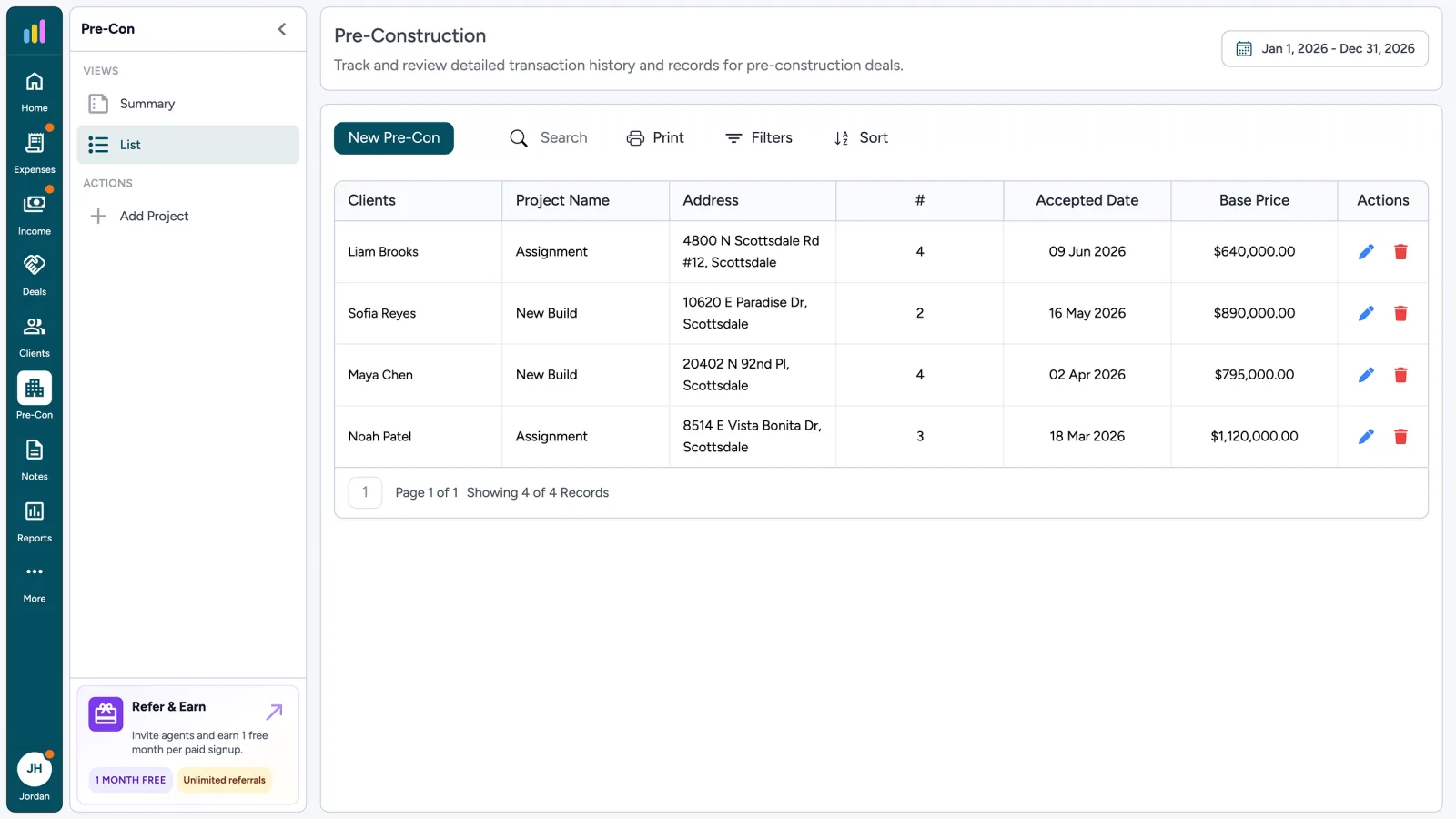
Track new-build and assignment commissions as one project with up to four dated payments. Each payment has its own net pay, commission, tax, and Pending or Received status.
No credit card required · 30-day free trial
Why Pre-Construction Needs Its Own Module
- 1
Project Type & Address
- 2
Up to Four Dated Payments
- 3
Pending or Received Status
- 4
Clients on the Project
What Is Pre-Construction Tracking for Real Estate Agents?
Pre-construction tracking means recording a new-build or assignment as a project with a payment schedule, not as a single resale closing. AgentXpense keeps the project, clients, and each commission payment together, so you can see what has been received and what is still due.
One Project, Up to Four Commission Payments
Add the project and its clients. Then enter the received date, tax type, and status on payment one, and add up to three more payments. Each payment is its own commission line with type Pre-Con, shown in Commissions.
- 1
1. Open the Project
Choose a project type, add the property address, and link clients, just like on a resale deal.
- 2
2. Log Each Payment
Enter net pay after brokerage fees, the date, tax, and Pending or Received. Add each payment as it is scheduled.
- 3
3. Keep It Separate From Resale
Pre-con payments show as type Pre-Con in Commissions, so they stay apart from resale deals.
Assignments and Deposits Need Their Own Record
A staged payment plan does not fit a single Closed resale deal. Each pre-con payment has its own date and status, so you can see what has been received and what is still due without digging through old emails.
- Summary and List views. There is no Monthly view for pre-con.
- Export to CSV or print when your accountant asks for the schedule.
- Edit a payment when dates change; status stays on each line.
Assignment
8514 E Vista Bonita Dr · David Morales
- 1
Payment #1
Received date 12 Mar 2025
$ 18,500.00Received - 2
Payment #2
Received date 08 Jun 2025
$ 12,400.00Received - 3
Payment #3
Received date 15 Oct 2025
$ 9,200.00Pending - 4
Payment #4
Received date 20 Jan 2026
$ 8,800.00Pending
Commissions, Deals, and Clients
If every commission arrives as a single closing payment, use Deals. If the builder pays in stages, use Pre-Construction.
Pre-Construction FAQ
A regular deal is tracked toward one closing and one commission. A pre-construction project can pay commission in up to four dated payments, each with its own net pay, tax, and status.
Up to four dated payments per project. Each payment has its own net pay, commission, tax type, received date, and Pending or Received status.
Yes. Link clients from your client list to the project, the same way you do on a deal. The client details are saved on the project as they were when you linked them.
Yes. Each payment appears in Income → Commissions with type Pre-Con and flows into Reports along with your deal commissions.
Yes. Edit the payment, set the status to Received, and add the received date. Each payment keeps its own status.
No. Pre-construction has Summary and List views. Use the List view to see every project and its payments, and export or print it when you need it.
Yes. Pre-construction tracking is included in the 30-day free trial, and no credit card is required. After that, it is $14/month, or $9.99/month billed yearly.
2255 Dundas Street West, Suite 207 Mississauga, ON L5K 1R6
© Agent Xpense Inc. All rights reserved.